Email setup without leaving Shopify
Generated by Klaviyo AI
Klaviyo in Shopify lets new stores manage sign-up forms, emails, and automated flows inside the Shopify admin. The article explains guided setup, included limits, dashboard reporting, and how to upgrade as a store grows.
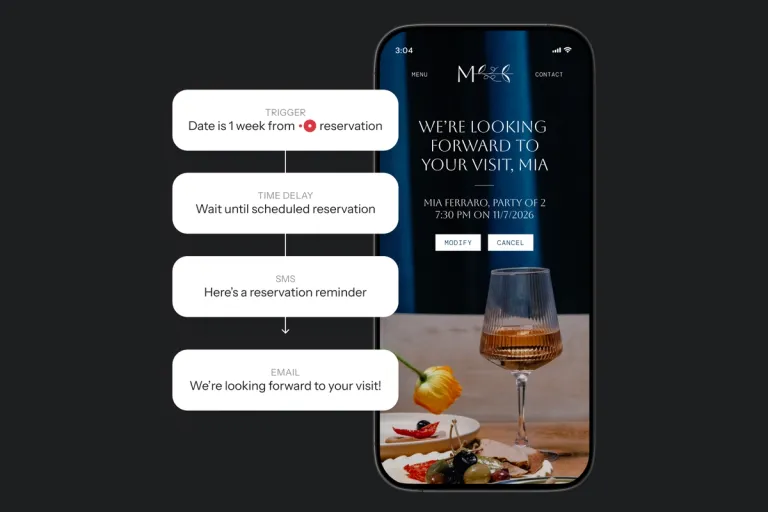
- Guided setup: Three setup steps use existing Shopify brand information to build a sign-up form, welcome flow, and abandoned check-out flow.
- Built-in tools: Composer, Klaviyo’s AI marketing agent, is included, and the Shopify dashboard tracks subscribers, conversions, and flow revenue.
- Starting limits: It is free to start with one live sign-up form, up to 3 automated flows, 250 active profiles, and 500 emails per month.
You launched your store, and orders are starting to come in. Email is somewhere on your list, below packing orders and figuring out ads. Setting it up usually means a new tool to learn and a pile of decisions about where to begin. The longer it waits, the more repeat purchases you miss.
Shopify and Klaviyo have partnered for more than a decade to bring commerce and customer relationship management (CRM) together in one place, with a native Shopify integration that more than 117,000 brands use. Klaviyo in Shopify builds on that foundation for stores that are just getting started.
Klaviyo in Shopify takes the setup off your list. Your forms, emails, and flows live in one app inside your Shopify admin, so there's nothing to piece together and no need to leave Shopify or manage a separate login. It's free to start, and you can be live in minutes.
Many stores begin with one person doing a little of everything. Klaviyo in Shopify is built for that stage, and we're continuing to invest in founders and creators who are just getting started.
Get your form and first flows live in one place
Guided setup walks you through 3 steps and pre-builds your form and flows from the brand information already in your Shopify store:
- Publish a sign-up form. Start collecting subscribers.
- Set a welcome flow live. New subscribers hear from you right away.
- Set an abandoned check-out flow live. Recover shoppers who start buying and don't finish.
Because the form, flows, and results all live in one app, a new subscriber can sign up, get your welcome flow, and show up in your dashboard without a second tool or login. Composer, Klaviyo’s AI marketing agent, is included, so there’s nothing to upgrade.
Once you’re live, your dashboard inside Shopify tracks subscribers, conversions, and the revenue your flows drive. It also suggests what to do next.
Upgrade when your store outgrows it
Klaviyo in Shopify fits solo founders and small teams, including anyone building a store around a day job. It includes one live sign-up form, up to 3 automated flows, up to 250 active profiles, and up to 500 emails per month.
When you need more, upgrade anytime for unlimited flows, text message marketing, and custom segmentation. Your forms, flows, and subscribers carry over automatically, with no migration work. See pricing for plan details.
How to install Klaviyo in Shopify from the Shopify App Store
Search for Klaviyo in the Shopify App Store, click Install, and follow the guided setup. Only the store owner can complete setup inside Shopify, so staff and collaborators finish signing up on klaviyo.com, with their details prefilled. Established brands will continue to Klaviyo.com. For step-by-step instructions, read Getting started with Klaviyo in Shopify.
Resources for new Shopify founders
Start with a form and a couple of flows, and learn the rest as your store grows. These 3 places can help:
- Klaviyo Help Center: Step-by-step guides show you how to send your first campaign and add more automated flows, like abandoned cart or win-back emails.
- Klaviyo Academy: Quick guides take 15 minutes or less to finish.
- Klaviyo Community: The entrepreneur user group connects you with other founders.

Related content