Flow Templates for

Omnichannel flows, built for you to launch

40+ pre-built automations for email, SMS, and WhatsApp — abandonment, welcome, winback, loyalty, and order updates. Preview any flow, then make it yours in minutes.

40+

Ready-to-launch flow templates

3

Channels in a single flow

<10 min

Average time to customize and launch

Prevent lost sales

Turns browses and abandoned carts into purchases before customers move on

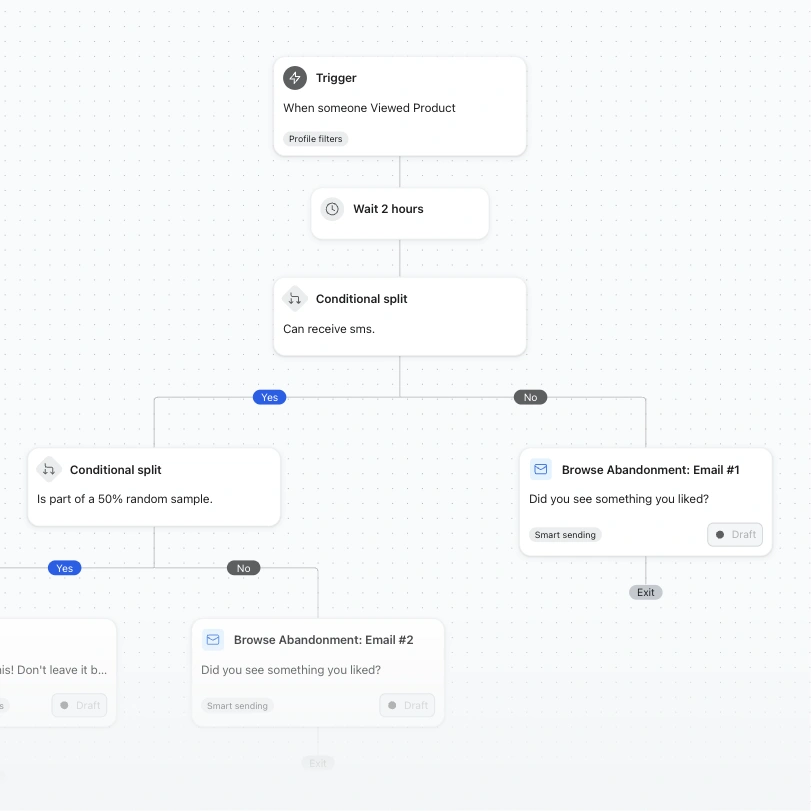
Browse abandonment workflow with a product-view trigger, two-hour wait, conditional splits, and follow-up emails.

Browse abandonment

Convert window shoppers into buyers by following up on the exact products they viewed but didn’t add to cart.
  • A/B test
  • Email
  • SMS
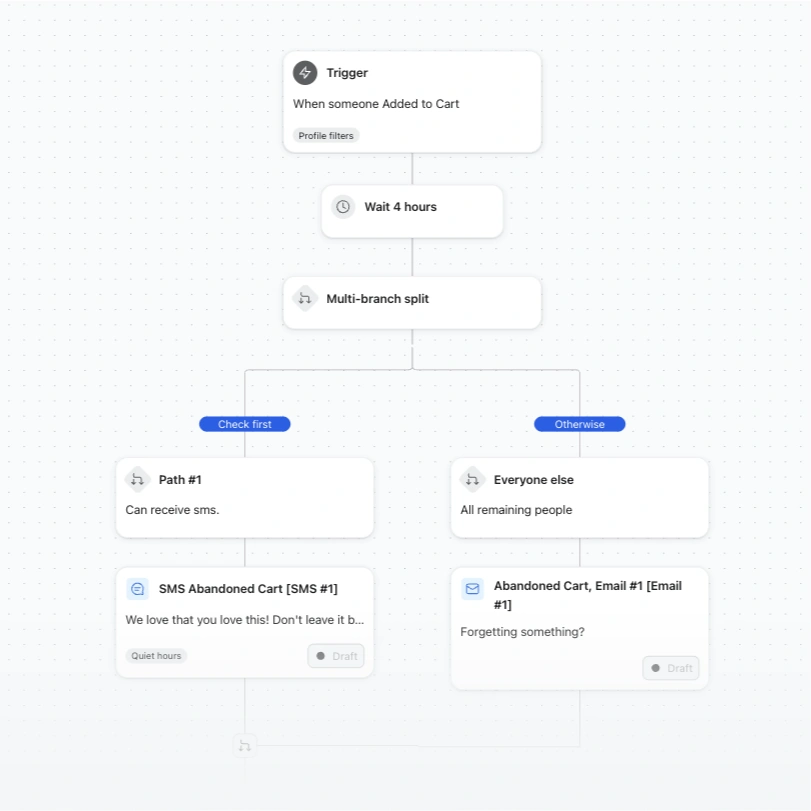
Abandoned cart workflow branches after a four-hour wait to send either an SMS or email.

Abandoned cart reminder

7 out of 10 shopping carts are abandoned. Recover them with a timely reminder and a nudge across channels.
  • Shopify added to cart
  • Email
  • SMS
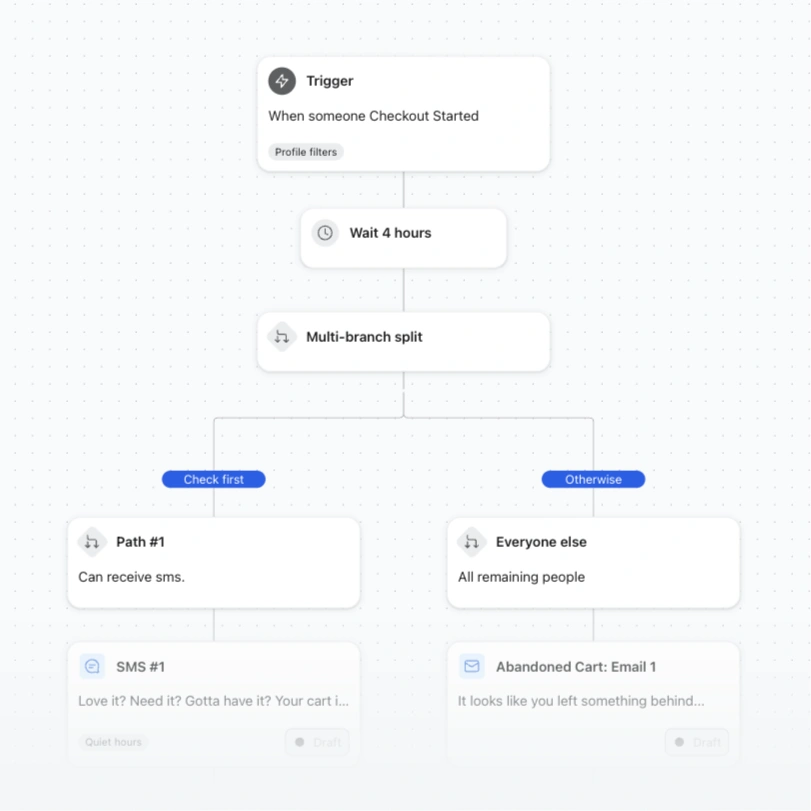
Abandoned checkout workflow branches after four hours to send either an SMS or email.

Abandoned cart reminder

Create urgency and drive sales by reminding shoppers who made it all the way to checkout — then stopped.
  • Localized (Email & SMS)
  • Email
  • SMS
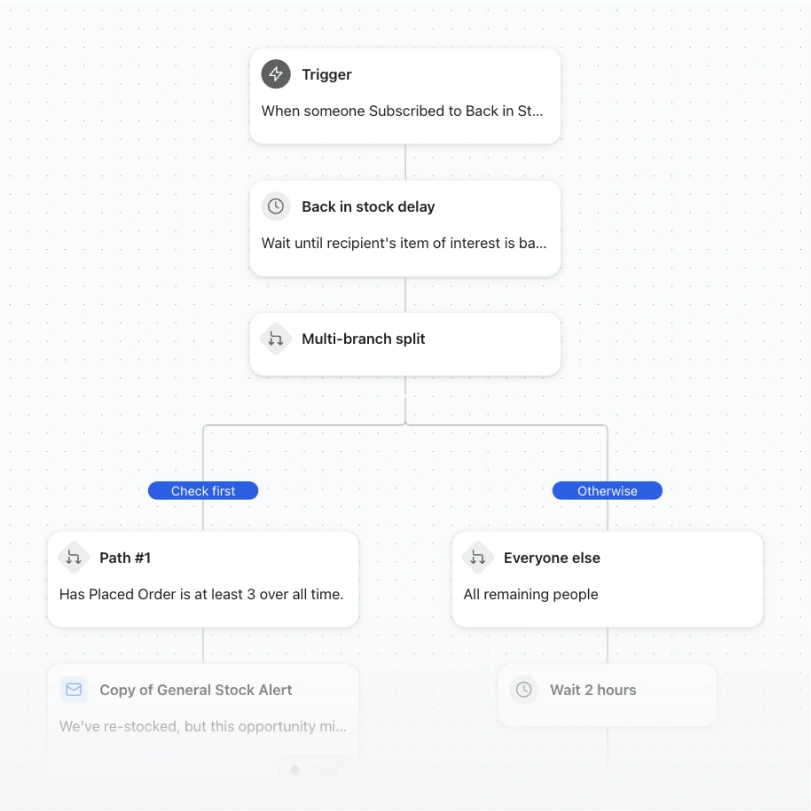
Back-in-stock automation workflow branching by customer order history into an alert email or two-hour wait.

Back in stock

Don’t leave money on the table. Automatically alert customers when items they’re interested in get restocked.

  • VIP vs. non-VIP
  • Email
  • SMS

Nurture subscribers

Turn new subscribers into first-time customer with a strong first impression
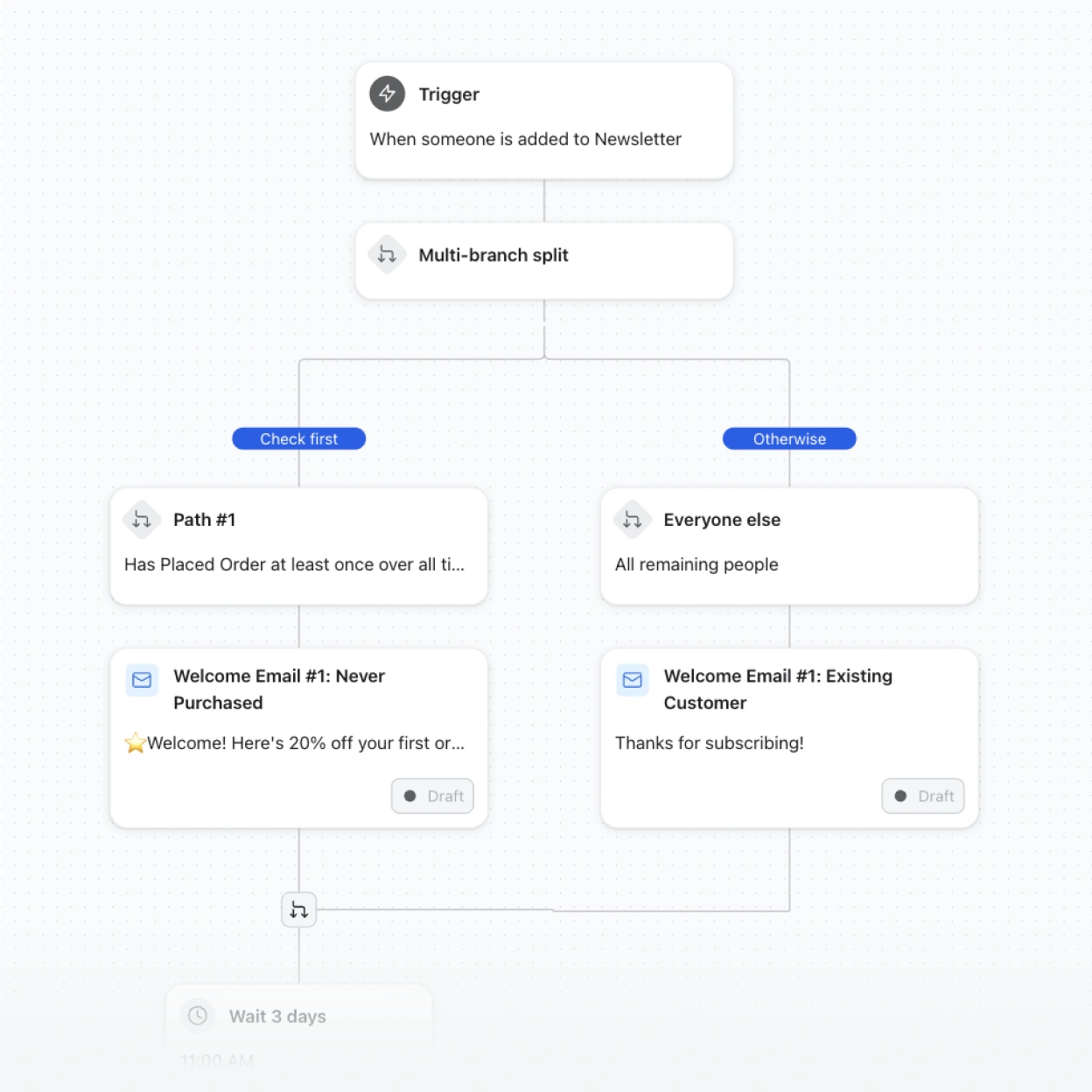
Newsletter automation splits new subscribers by purchase history and sends tailored welcome emails.

Welcome series

Welcome all new subscribers, but identify and route existing customers down a different path than first-timers.
  • Customer vs. non-customer
  • Email
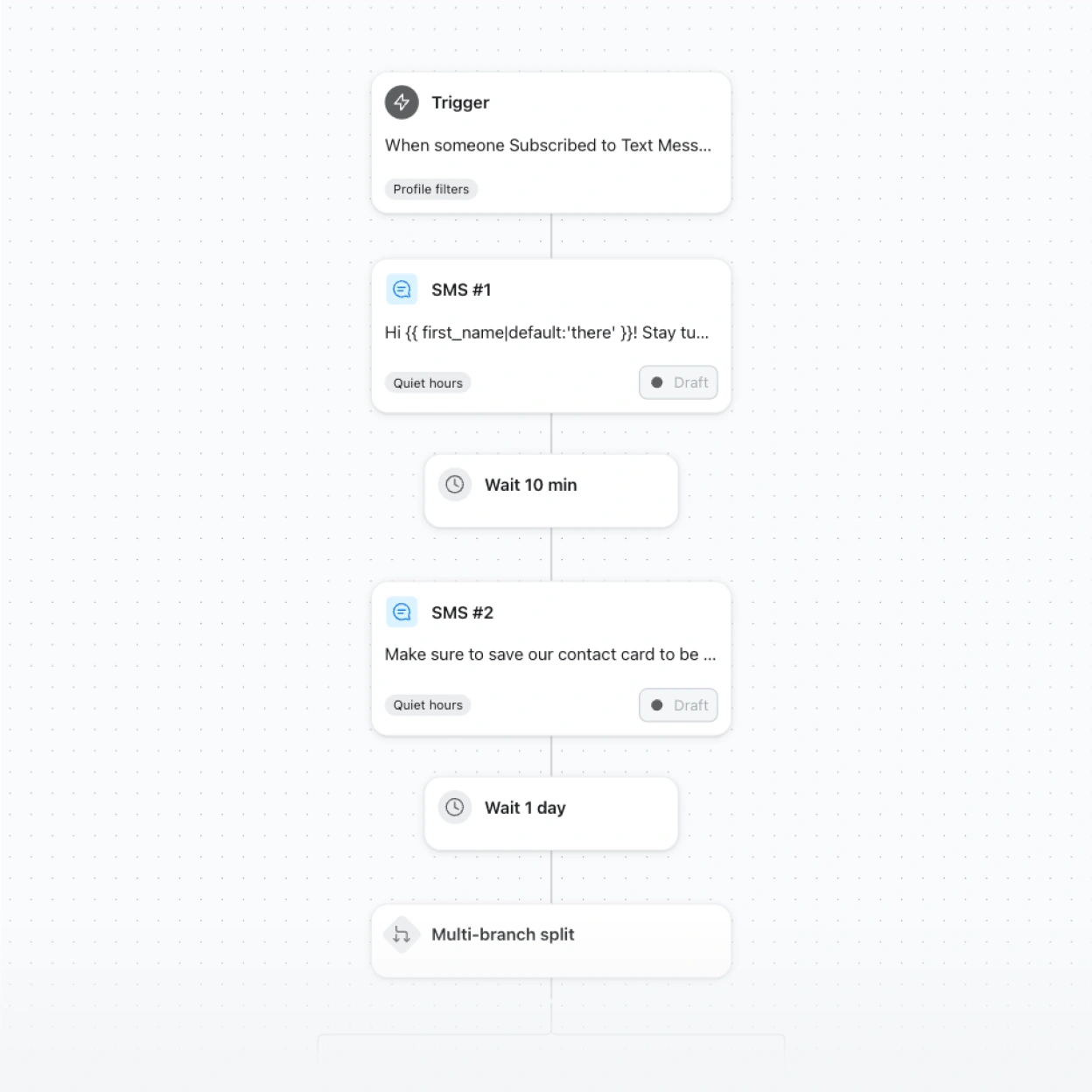
Automated SMS workflow with a subscription trigger, two draft messages, timed waits, and a multi-branch split.

Welcome series

This welcome series has 3 text messages that go to all new SMS subscribers, closing with a limited-time discount.

  • Final SMS discount
  • SMS

Build customer loyalty

Deepen the relationship after every purchase, automatically.
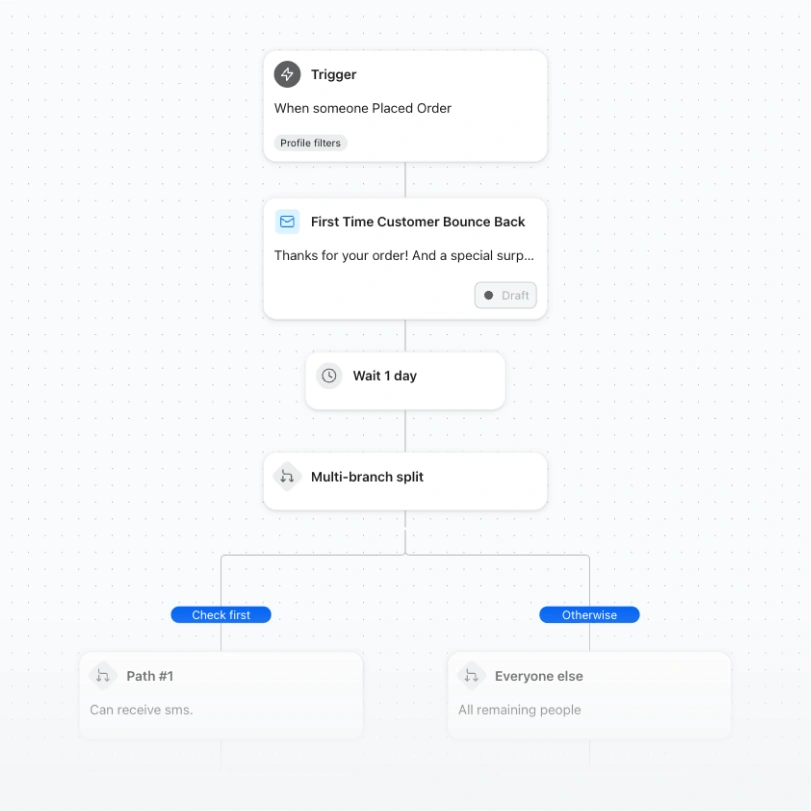
Automation flow sends a first-time customer email, waits one day, then splits recipients into two paths.

First purchase thank you & bounceback

Convert would-be one-time buyers into repeat customers with a thank you, followed by a bounceback offer.
  • Standard (Email & SMS)
  • Email
  • SMS
Automation flow sends a first-time customer email after an order, waits one day, then splits into two branches.

First purchase thank you & bounceback

The same proven bounceback sequence, routed through WhatsApp for customers who prefer messaging apps.
  • Standard (Email & WhatsApp)
  • Email
  • WhatsApp
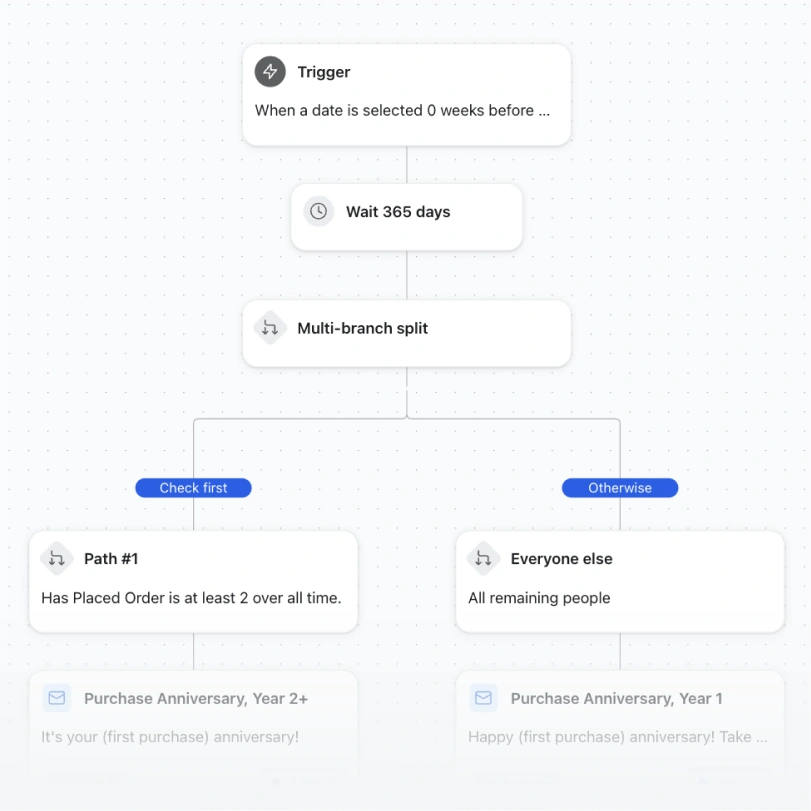
Automation workflow waits 365 days, then splits customers into repeat buyers and everyone else for anniversary emails.

First purchase anniversary

Celebrate the day someone first became a customer with a personal, well-timed anniversary email.
  • Standard
  • Email
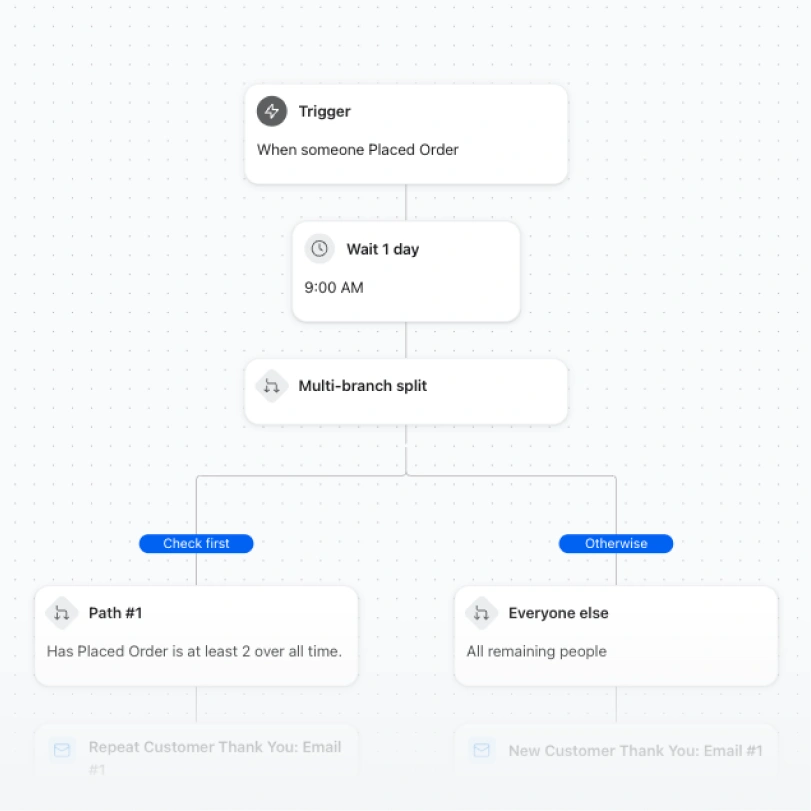
Order automation flow waits one day, then splits repeat customers from everyone else for separate thank-you emails.

Customer thank you

Build customer loyalty by sending a thank you tailored to whether someone is new or a returning customer.

  • New vs. returning
  • Email

Remind customers to purchase

Bring lapsed shoppers back with timely, relevant nudges.
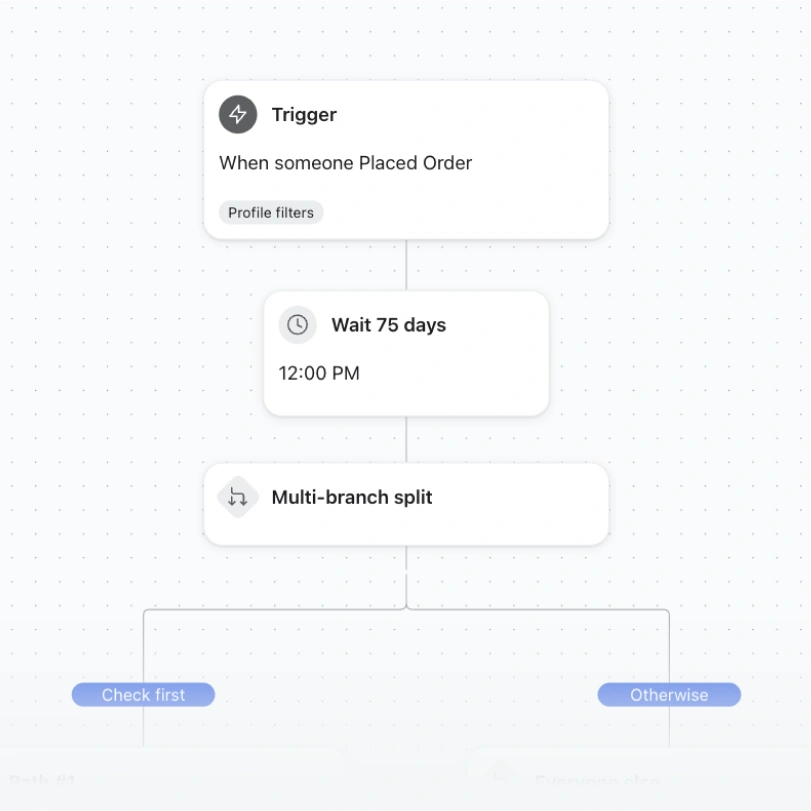
Automation flow: placed order trigger, 75-day wait at noon, then a multi-branch split.

Customer winback

Encourage lapsed customers to come back and see what’s new. Reach engaged users via SMS and everyone else via email.
  • Standard (Email & SMS)
  • Email
  • SMS
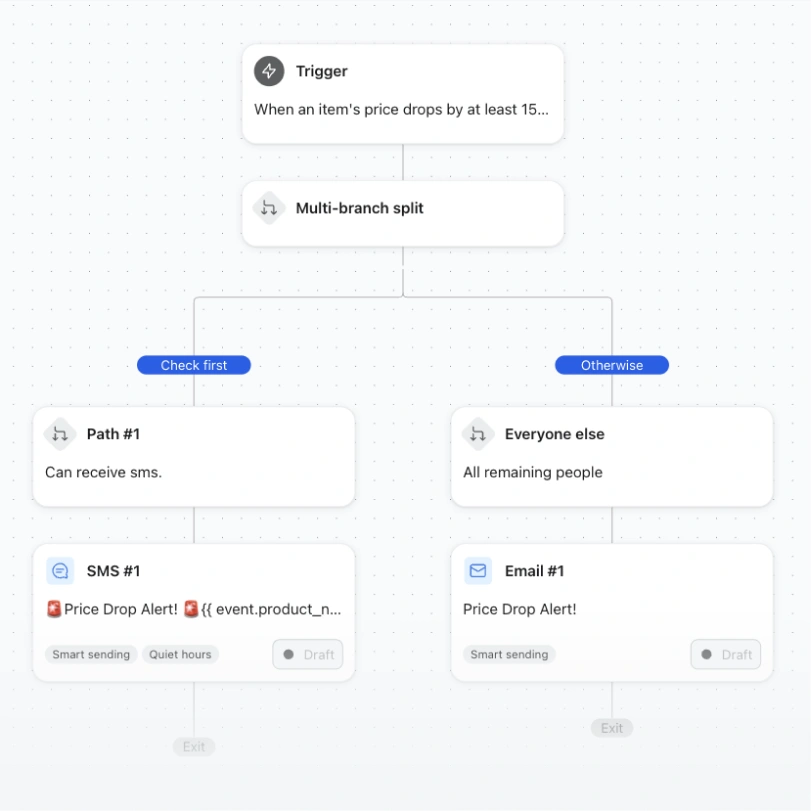
Price-drop workflow splits customers into SMS-eligible and email branches for sending alerts.

Price drop notification

Convert interest into sales by letting your customers know with a text or an email when a product they viewed drops in price.
  • Standard (Email & SMS)
  • Email
  • SMS
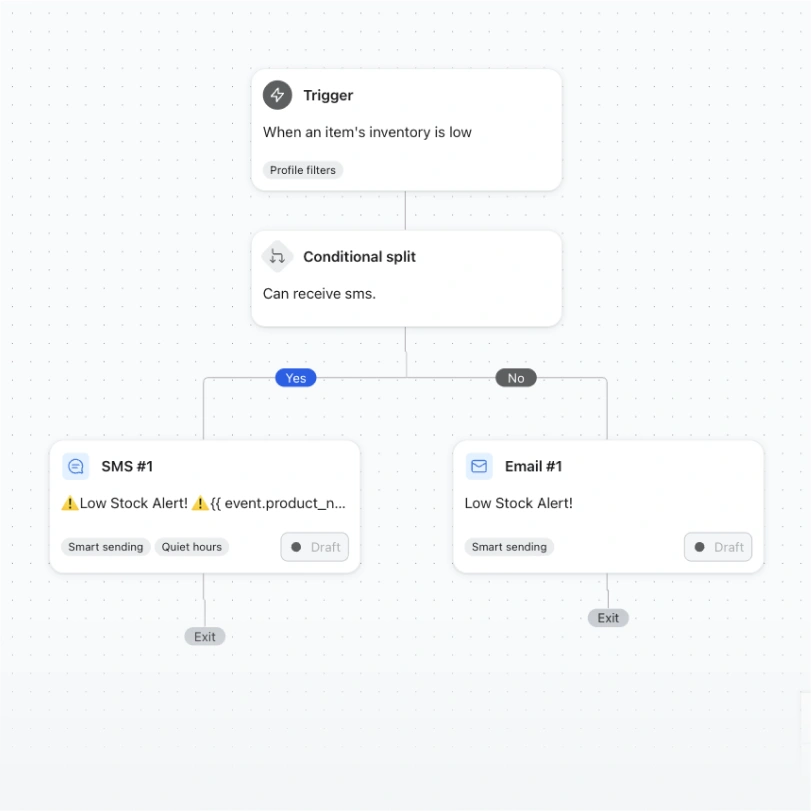
Low-inventory automation flow sends an SMS to eligible recipients and an email to others.

Low inventory reminder

Convert interest into sales by letting your customers know when a product they viewed, added to cart, or started checkout on runs low in stock.

  • Standard
  • Email

Encourage repeat purchases

Turn one-time buyers into customers who order again.
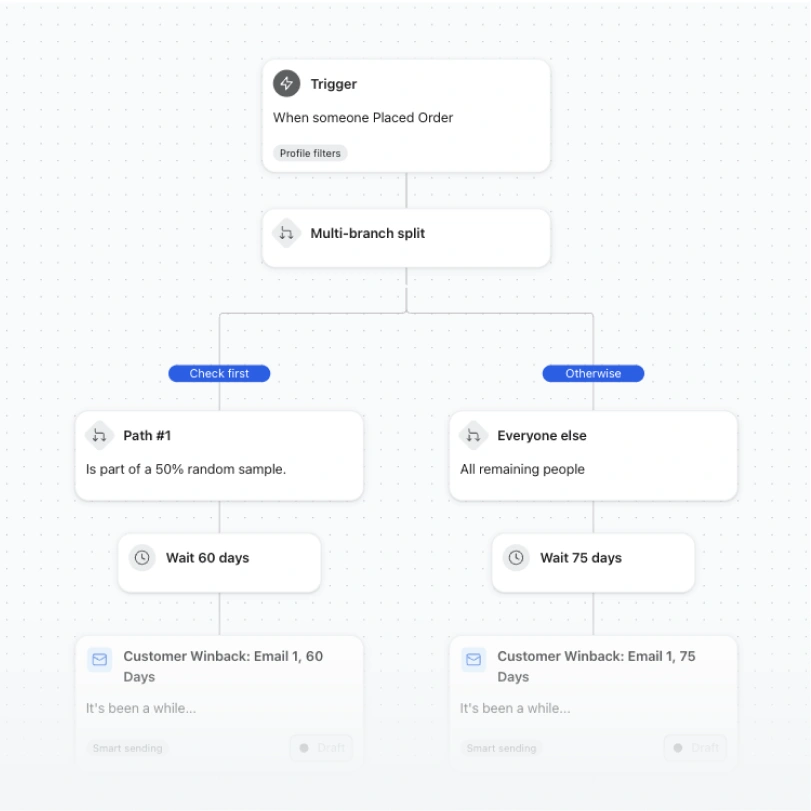
Customer winback workflow splits buyers into 60- and 75-day wait paths before sending emails.

Customer winback

This winback series uses a conditional split to A/B test two different time-to-first-message delays.
  • A/B test time delay
  • Email
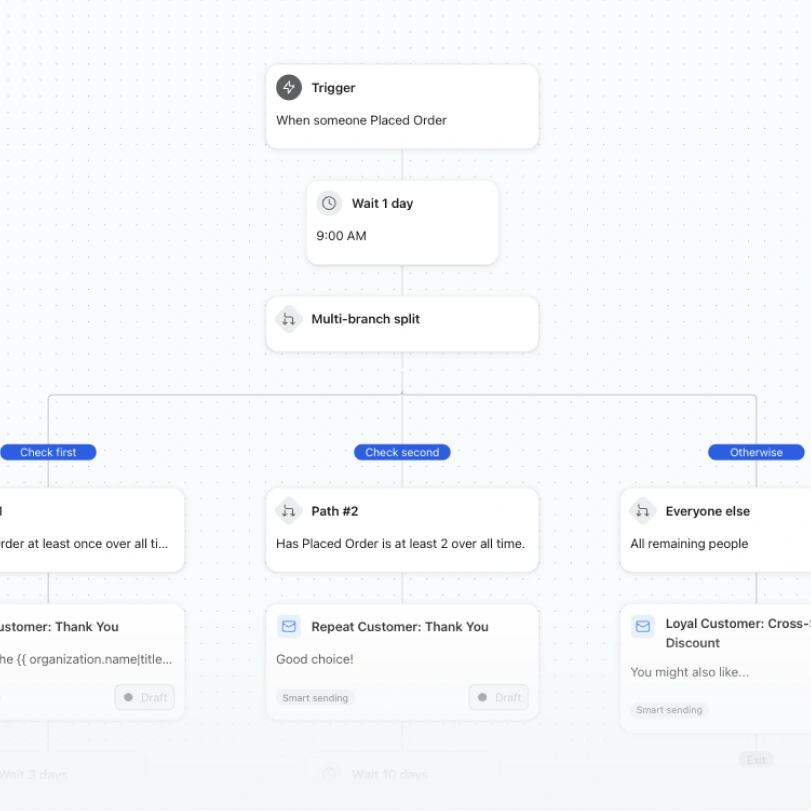
Automation workflow branches after an order to send tailored emails to repeat, loyal, and other customers.

Post-purchase followup

Tailor post-purchase content based on lifecycle stage! This flow splits out post-purchase paths for first-time buyers, second-time buyers, and then 3+ time buyers.
  • Order count split
  • Email
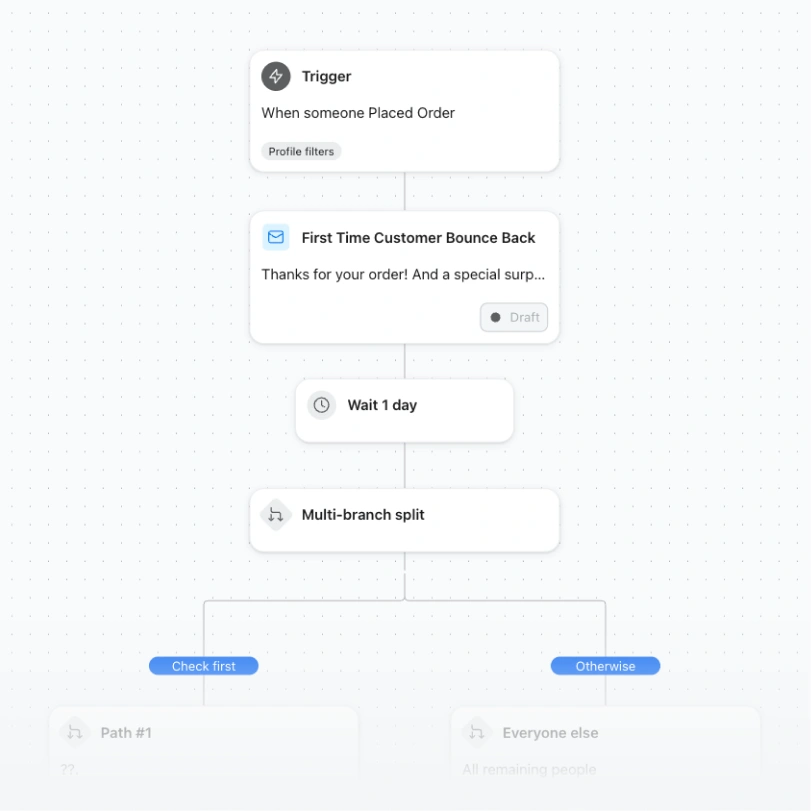
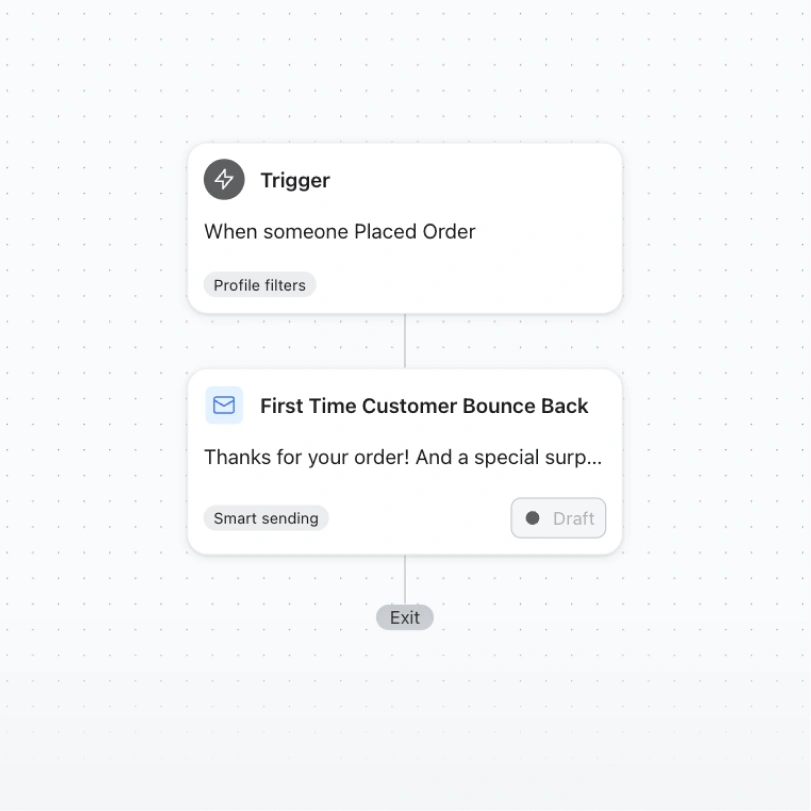
Automation flow triggered by an order, followed by a draft “First Time Customer Bounce Back” email.

Post-purchase bounce back

Convert would-be one-time buyers into repeat purchasers with a compelling "bounce back" offer that brings someone back to keep shopping immediately after placing an order.
  • After first purchase
  • Email
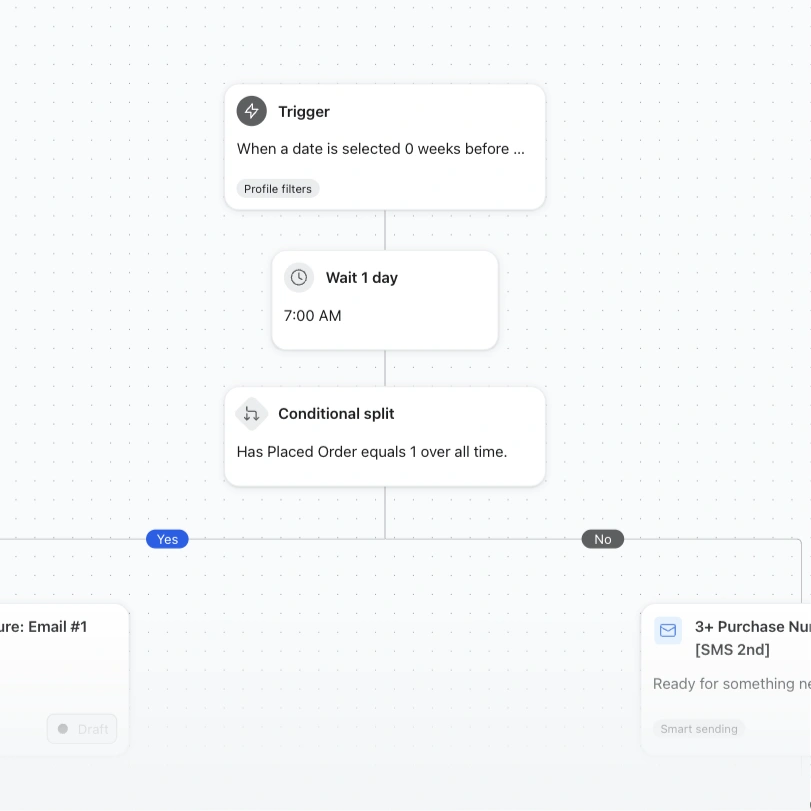
Automation workflow with a date trigger, one-day wait, and conditional split based on order history.

Repeat purchase nurture series

Prevent customer churn using machine learning-powered predictions of when a customer is likely to purchase again.
  • Order count split (Email & SMS)
  • Email
  • SMS
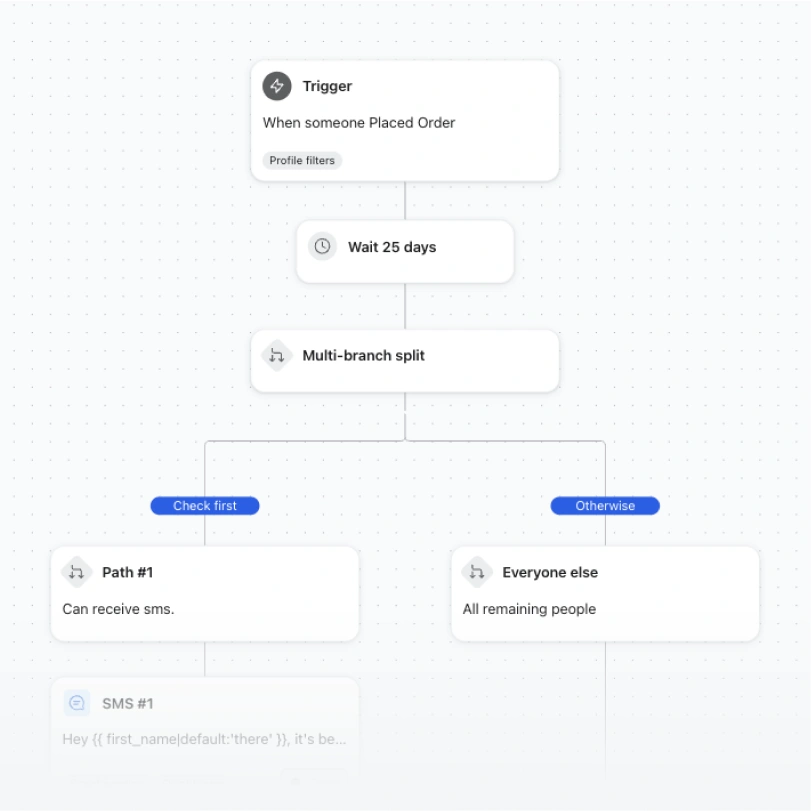
Automation flow waits 25 days after an order, then splits customers by whether they can receive SMS.

Replenishment reminder

This flow features a replenishment reminder based on average product usage cycles, perfect for consumable goods.
  • Standard (Email & SMS)
  • Email
  • SMS
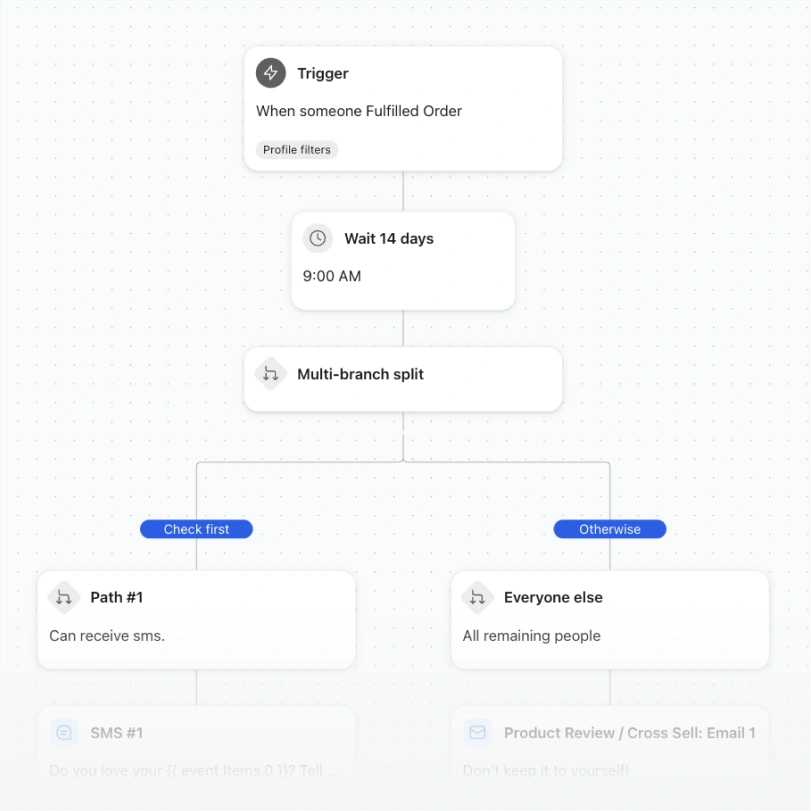
Automation flow waits 14 days after an order, then splits customers into SMS-eligible and everyone else.

Product review / cross-sell

Follow up after a purchase with a friendly request for a review, paired with cross-sell recommendations.

  • Standard (Email & SMS)
  • Email
  • SMS

Update customers on order status

Keep shoppers in the loop from checkout to delivery.
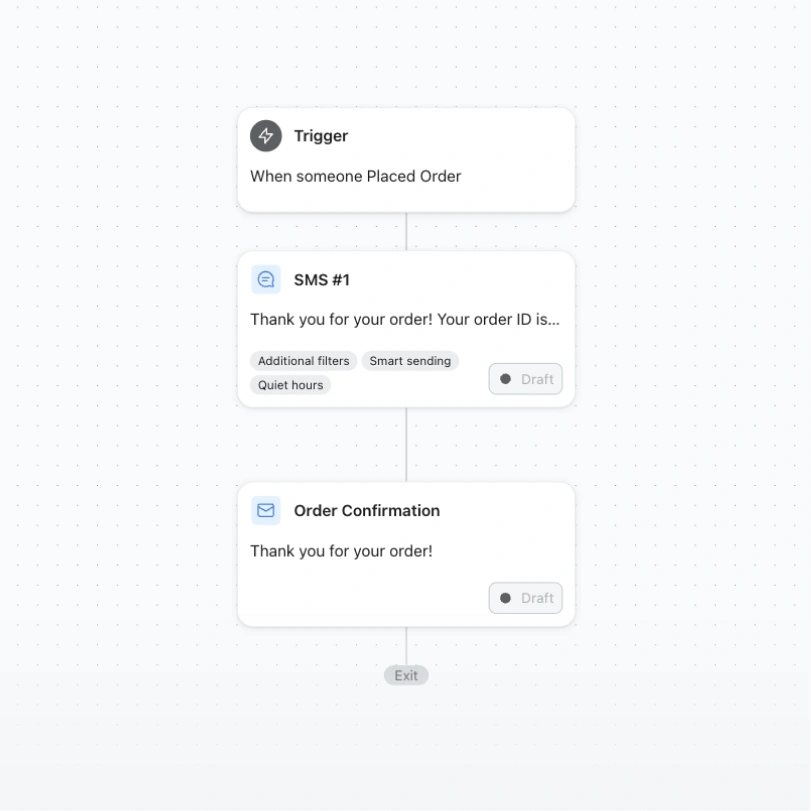
Order automation flow with a placed-order trigger followed by draft SMS and email confirmations.

Order confirmation

Send an order confirmation email after a customer completes checkout, with all the details they need.
  • Standard
  • Email
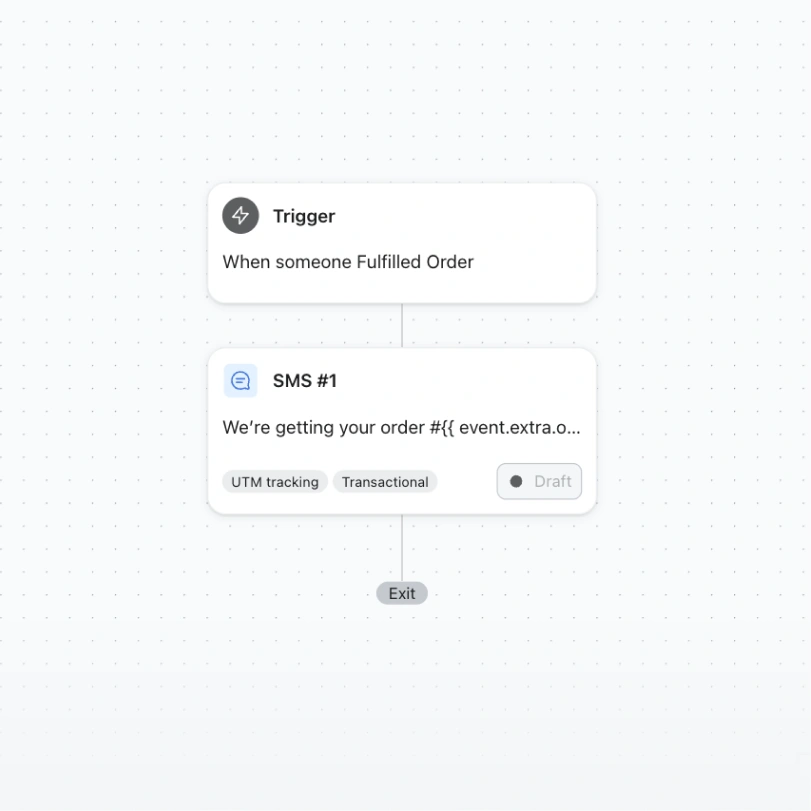
Automation flow sends a draft transactional SMS when an order is fulfilled, then exits.

Full shipping confirmation

Let your customers know whenever their full order has shipped, with tracking details included.
  • Standard
  • Email
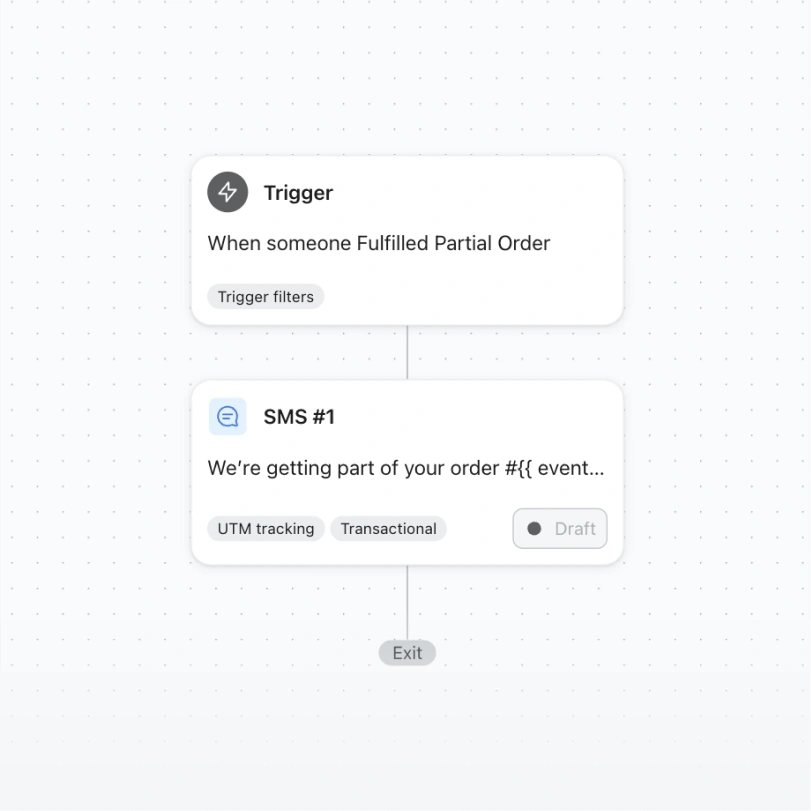
Automation flow triggers a draft transactional SMS when an order is partially fulfilled.

Partial shipping confirmation

Keep your customers updated as each item in a multi-package order ships, so nothing feels missing.
  • Standard
  • Email
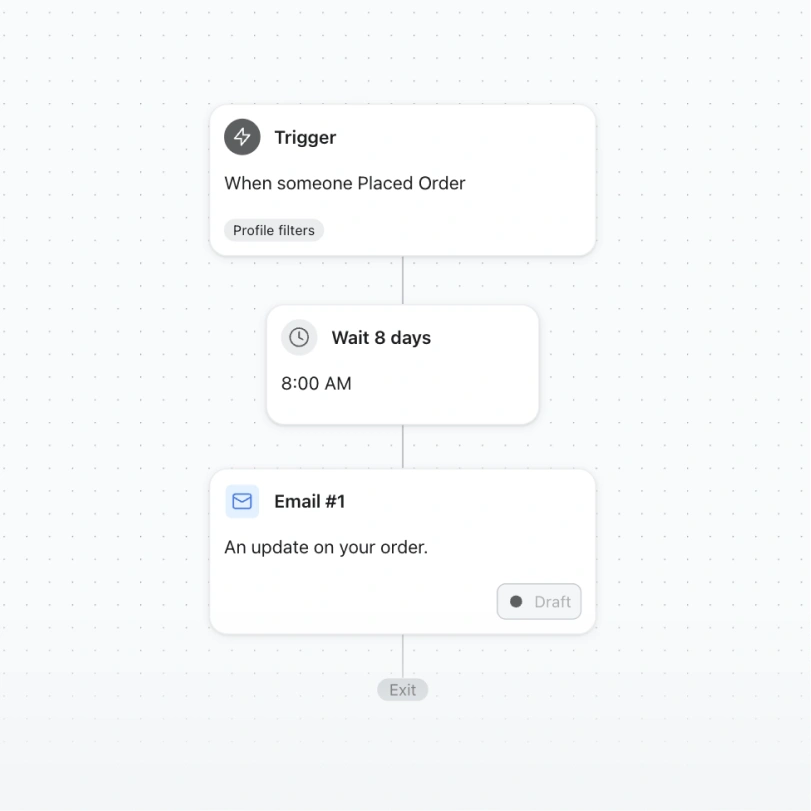
Automation flow sends a draft order update email at 8:00 AM, eight days after an order is placed.

Delayed fulfillment

Keep customers in the loop about delays — non-marketing messaging that builds trust when things slow down.

  • Standard
  • Email
HOW IT WORKS

From template to live flow, without the blank page

Every flow template comes pre-built with logic, timing, and starter copy across every channel it uses. Preview it, then make it yours.

1. Choose

Filter by goal or channel to find the flow built for the job — from browse abandonment to post-purchase loyalty.

2. Customize

Edit timing, conditional splits, and messaging across email, SMS, and WhatsApp in one drag-and-drop builder.

3. Connect data

Sync your store so triggers, product recommendations, and audience splits react to real customer behavior.

4. Launch

Turn it on and let Klaviyo run the sequence — then track revenue per flow from a single dashboard.

Why flows

Built for omnichannel, not just email

Every template on this page can flex across the channels your customers actually use.

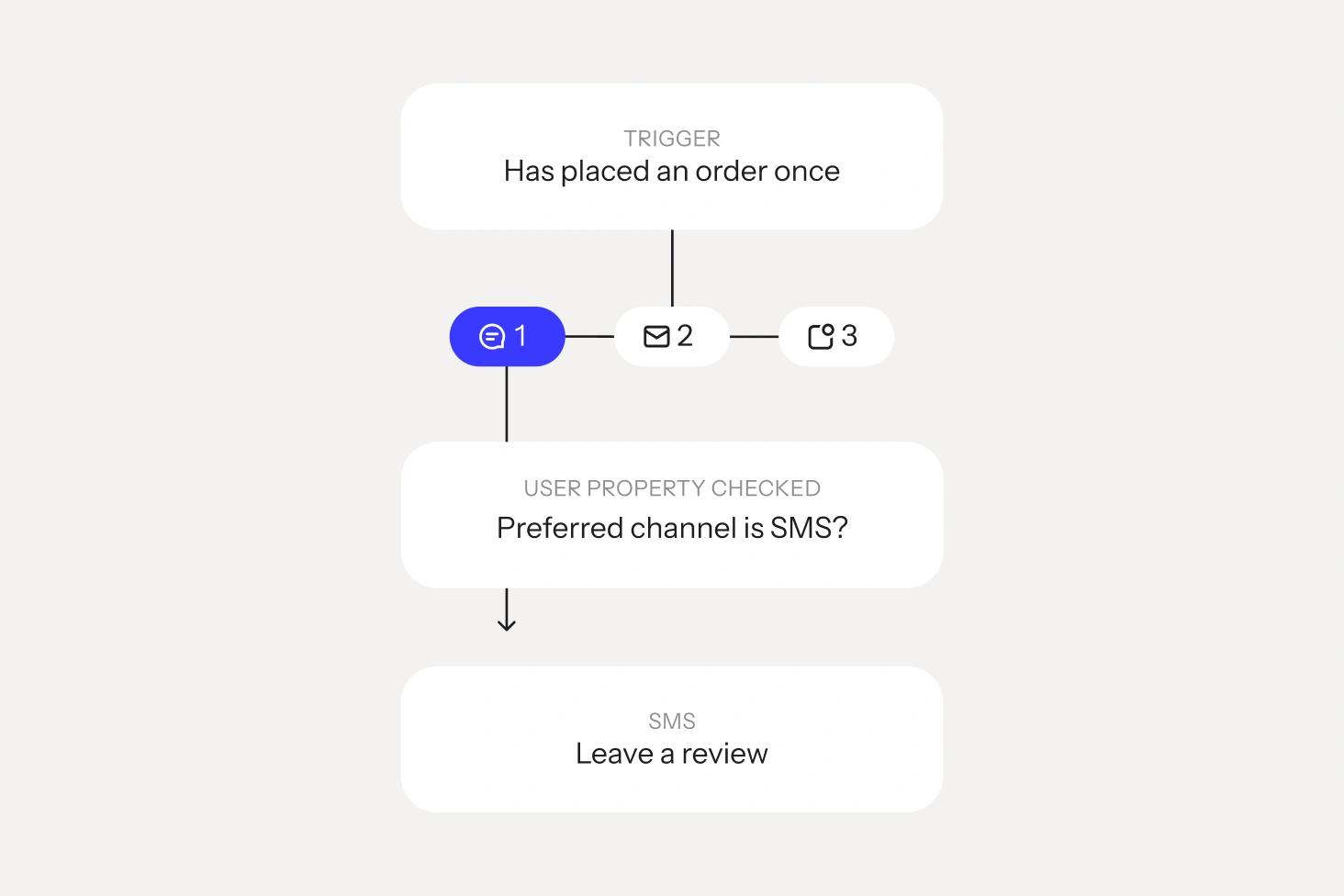
One flow, every channel

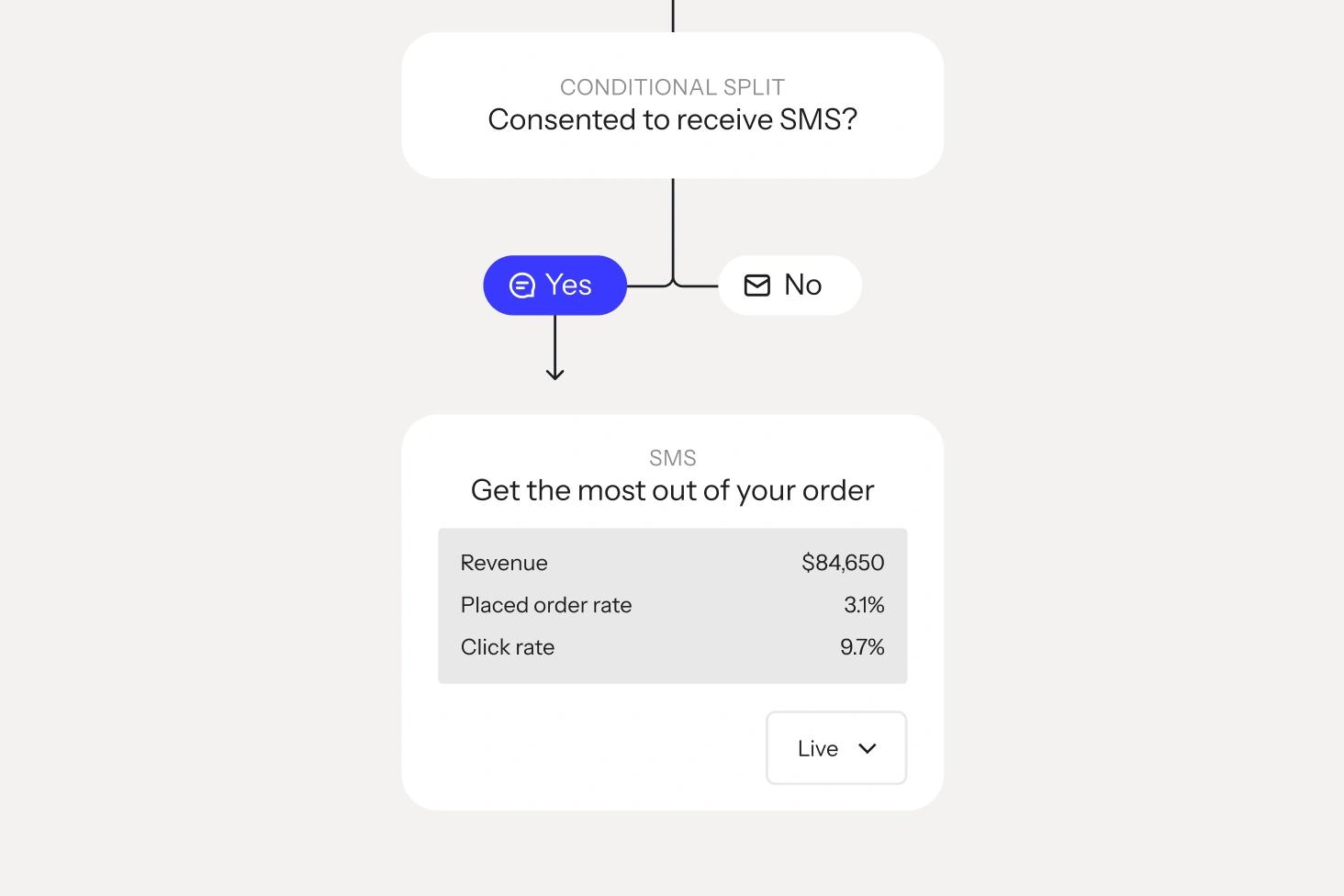
Combine email, SMS, and WhatsApp inside a single automation, with conditional splits that route each customer to the channel they engage with most.
AI-assisted from the start

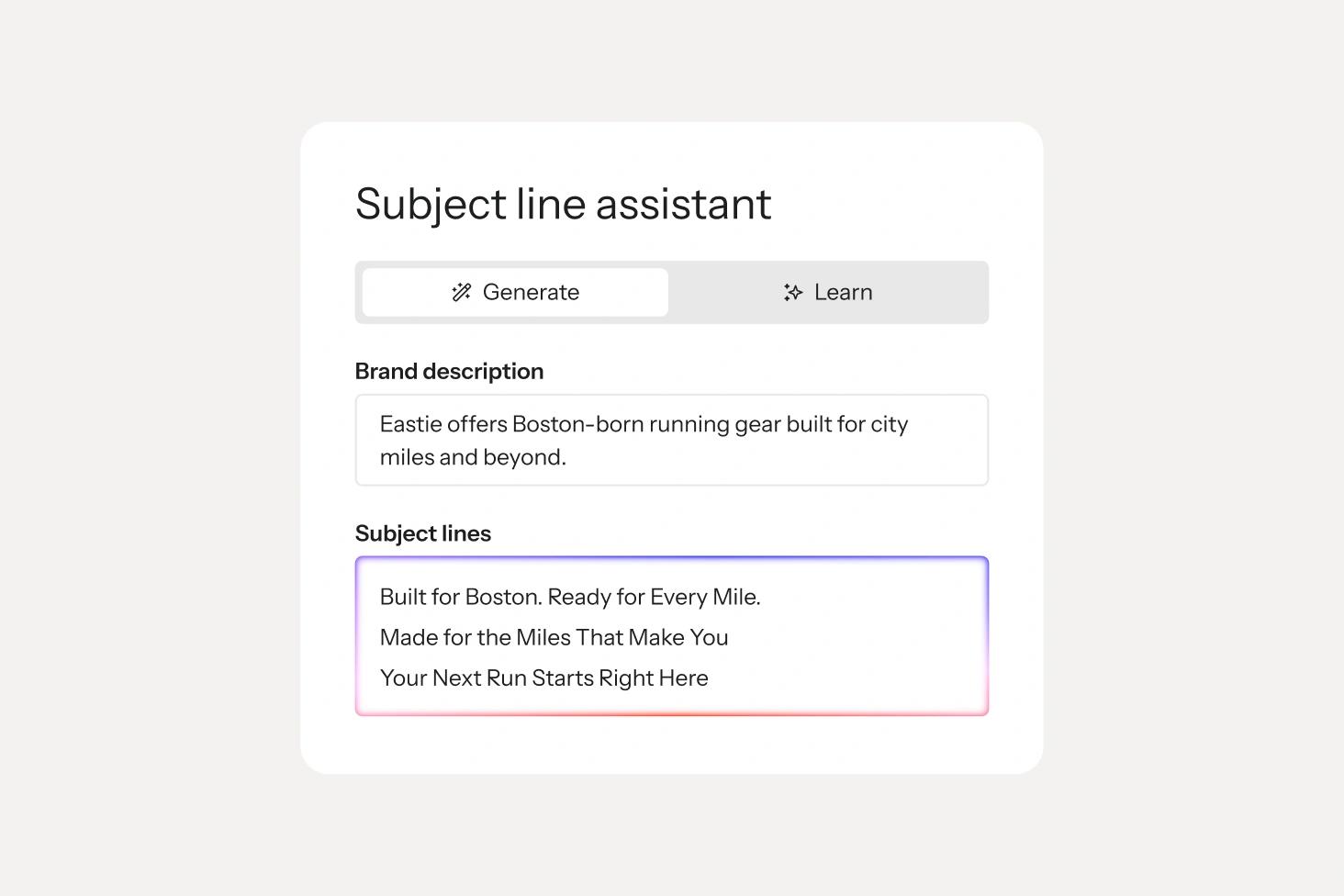
Klaviyo AI drafts subject lines, SMS copy, and send-time recommendations for every template, so you’re editing, not starting from a blank canvas

Revenue you can track

Every flow reports revenue, placed orders, and engagement back to one dashboard, so you always know what’s working.

Customer Spotlight
DOLLAR SHAVE CLUB logo
The biggest unlock from Klaviyo has been personalization at scale. We can do things we've never been able to do before because everything is under one roof.”

Melanie Fox, Director of lifecycle marketing, Dollar Shave Club

Your next flow is a template away

Sign up free and start from any template on this page, or get a demo and we'll help you map flows to your customer journey.
Browse abandonment


Automation flow branches after a product view and two-hour wait to send browse abandonment emails or an SMS.

Abandoned cart reminder


Abandoned-cart automation flow branching into SMS or email messages, followed by a 20-hour wait and final email.

Abandoned cart reminder


Abandoned checkout workflow branching into SMS or email reminders, followed by a second email after 20 hours.

Back in stock


Back-in-stock automation flow splits frequent buyers from others, sending stock alerts immediately or after two hours.

Welcome series


Newsletter automation flow splits customers by purchase history, sends tailored welcome emails, waits three days, then follows up.

Welcome series


SMS automation workflow with a subscription trigger, timed messages, and a multi-branch split.

First purchase thank you & bounceback


Customer automation flow branches after an order into timed SMS and email follow-ups.

First purchase thank you & bounceback


Customer automation flow branches after an order into timed WhatsApp messages or a follow-up email.

First purchase anniversary


Automation flow waits 365 days, then sends Year 1 or Year 2+ purchase anniversary emails based on order history.

Customer thank you


Order workflow splits after a one-day wait, sending tailored thank-you emails to repeat and new customers.

Customer winback


Automation flow waits 75 days after an order, then branches to send either an SMS or customer win-back email.

Price drop notification


Price-drop alert workflow splits recipients into SMS-eligible and email branches.

Low inventory reminder


Low-stock alert workflow splits by SMS eligibility, sending an SMS if yes or an email if no.

Customer winback


Customer winback workflow splits buyers into 60- and 75-day email paths, then sends a follow-up after 15 days.

Post-purchase followup


Automated post-purchase email workflow branching for new, repeat, and loyal customers.

Post-purchase bounce back


Automation flow showing a placed-order trigger followed by a draft first-time customer bounce-back email.

Repeat purchase nurture series


Automated customer nurture workflow branching into email and SMS messages based on purchase history and eligibility.

Replenishment reminder


Automation flow waits after an order, splits by SMS eligibility, then sends an SMS and replenishment email.

Product review / cross-sell


Automation flow waits 14 days after an order, then branches to send either an SMS or product review email.

Order confirmation


Automation flow sends a draft SMS and order confirmation email after a customer places an order.

Full shipping confirmation


Automation flow showing a fulfilled order trigger followed by a draft transactional SMS, then exit.

Partial shipping confirmation


Automation flow with a fulfilled partial order trigger leading to a draft transactional SMS, then exit.

Delayed fulfillment


Automation flow: placed order trigger, 8-day wait until 8:00 AM, then a draft order update email.