Flow Templates for

Repeat purchase flow templates for turning one-time buyers into regulars

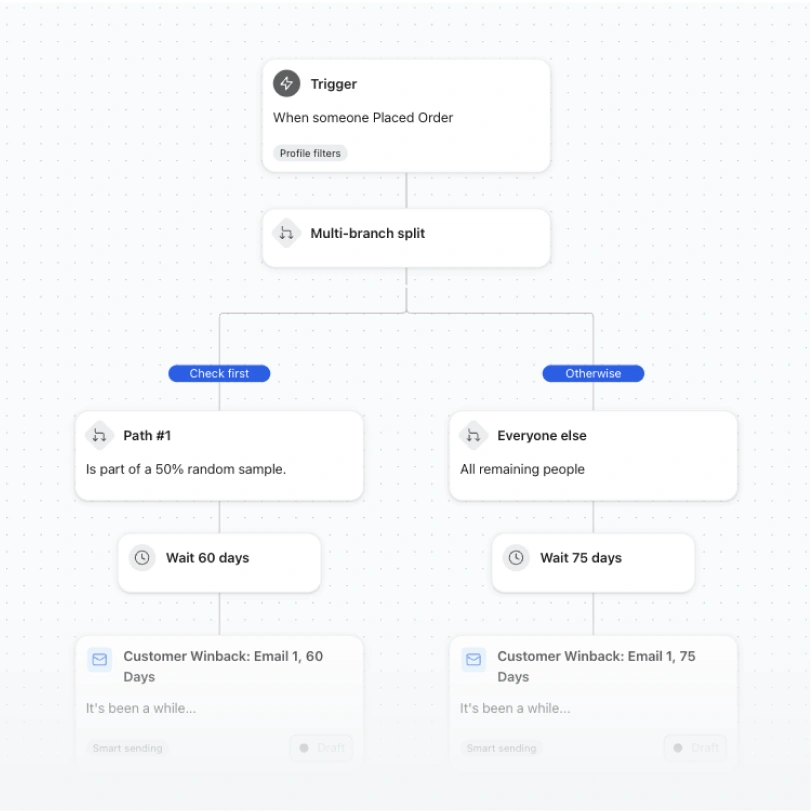
Customer winback workflow splits buyers into 60- and 75-day wait paths before sending emails.

Customer winback

This winback series uses a conditional split to A/B test two different time-to-first-message delays.
  • A/B test time delay
  • Email
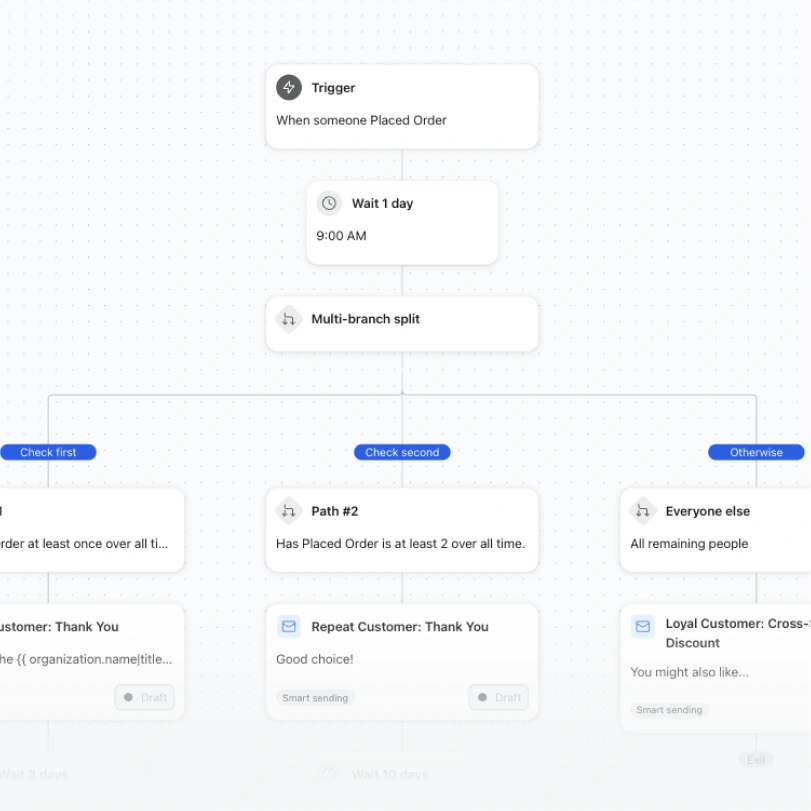
Automation workflow branches after an order to send tailored emails to repeat, loyal, and other customers.

Post-purchase followup

Tailor post-purchase content based on lifecycle stage! This flow splits out post-purchase paths for first-time buyers, second-time buyers, and then 3+ time buyers.
  • Order count split
  • Email
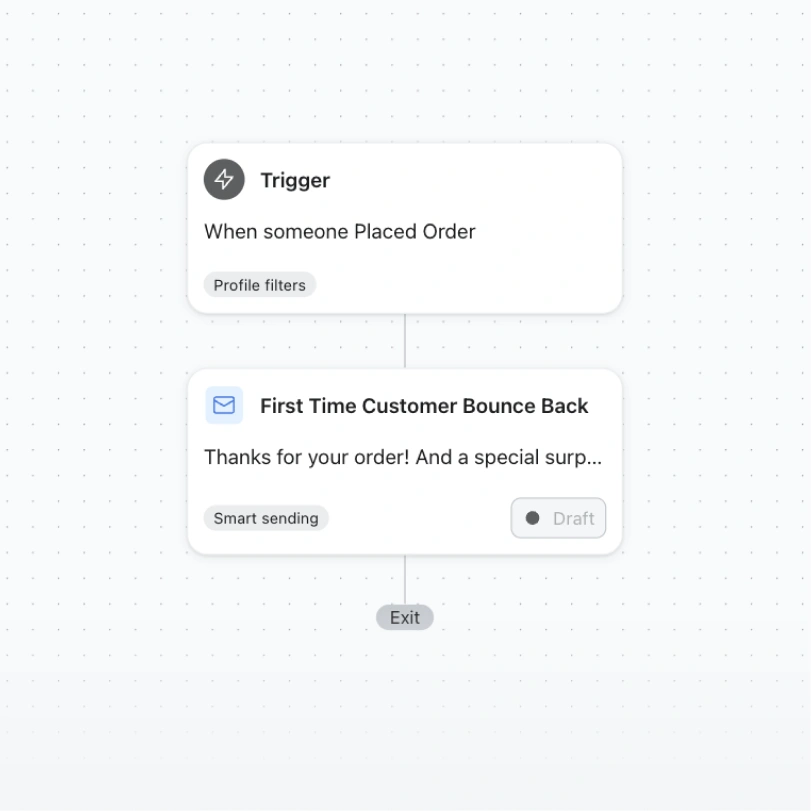
Automation flow triggered by an order, followed by a draft “First Time Customer Bounce Back” email.

Post-purchase bounce back

Convert would-be one-time buyers into repeat purchasers with a compelling "bounce back" offer that brings someone back to keep shopping immediately after placing an order.
  • After first purchase
  • Email
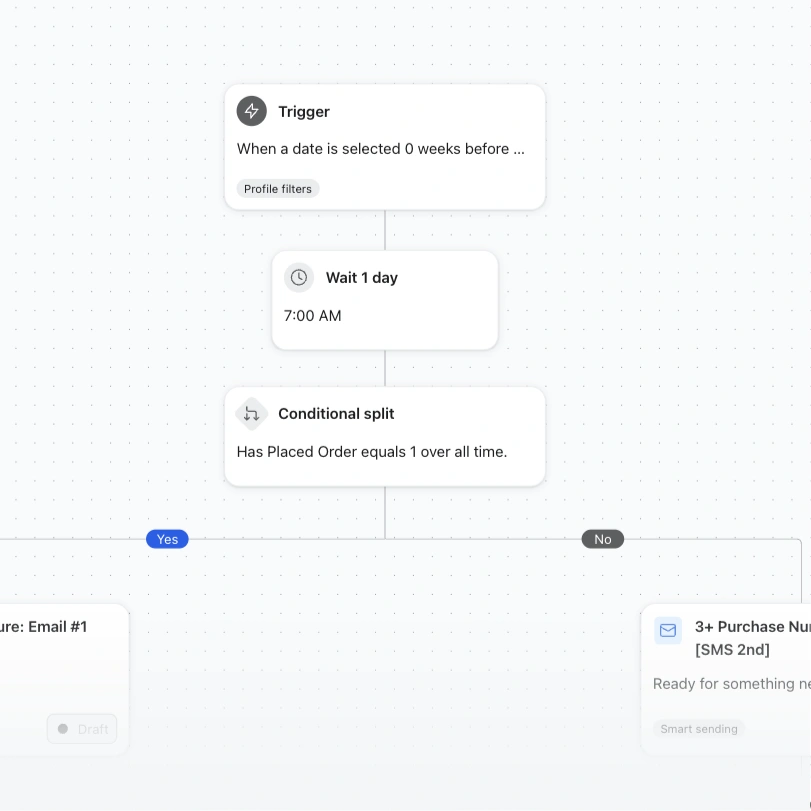
Automation workflow with a date trigger, one-day wait, and conditional split based on order history.

Repeat purchase nurture series

Prevent customer churn using machine learning-powered predictions of when a customer is likely to purchase again.
  • Order count split (Email & SMS)
  • Email
  • SMS
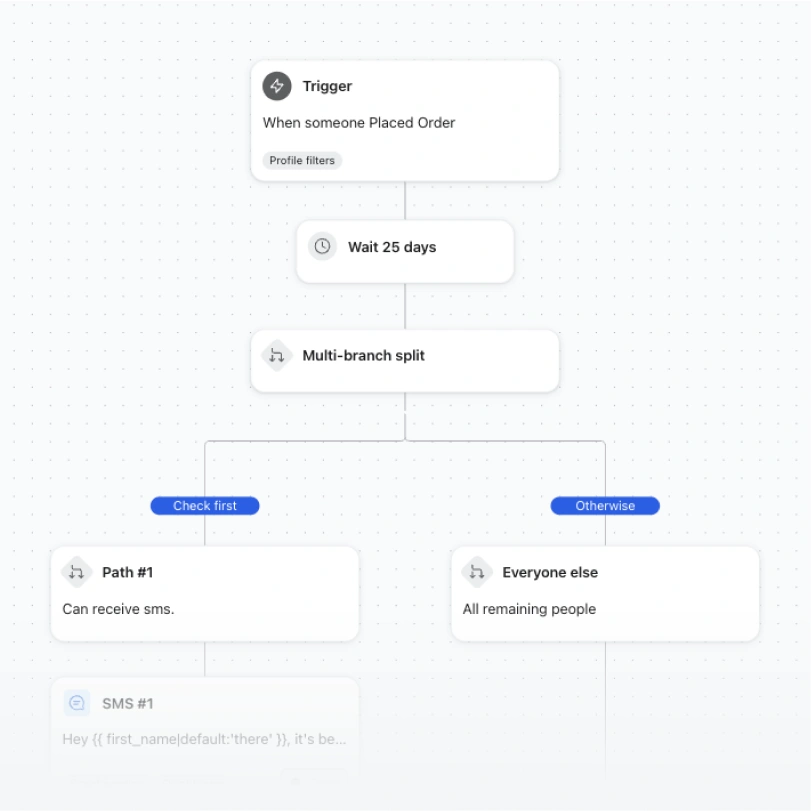
Automation flow waits 25 days after an order, then splits customers by whether they can receive SMS.

Replenishment reminder

This flow features a replenishment reminder based on average product usage cycles, perfect for consumable goods.
  • Standard (Email & SMS)
  • Email
  • SMS
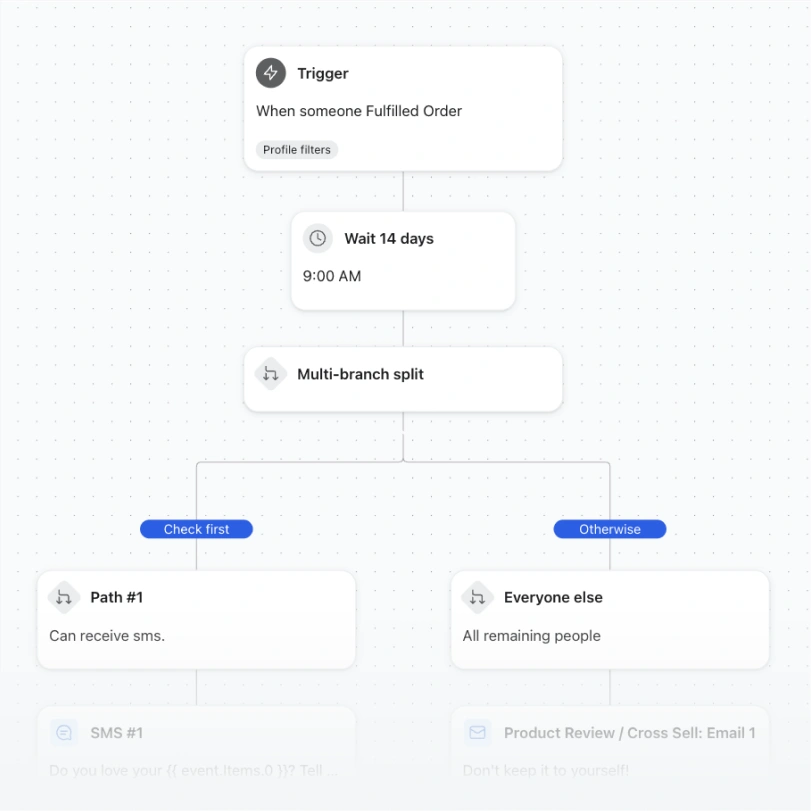
Automation flow waits 14 days after an order, then splits customers into SMS-eligible and everyone else.

Product review / cross-sell

Follow up after a purchase with a friendly request for a review, paired with cross-sell recommendations.

  • Standard (Email & SMS)
  • Email
  • SMS
HOW IT WORKS

From template to live flow, without the blank page

Every flow template comes pre-built with logic, timing, and starter copy across every channel it uses. Preview it, then make it yours.

1. Choose

Filter by goal or channel to find the flow built for the job — from browse abandonment to post-purchase loyalty.

2. Customize

Edit timing, conditional splits, and messaging across email, SMS, and WhatsApp in one drag-and-drop builder.

3. Connect data

Sync your store so triggers, product recommendations, and audience splits react to real customer behavior.

4. Launch

Turn it on and let Klaviyo run the sequence — then track revenue per flow from a single dashboard.

Why flows

Built for omnichannel, not just email

Every template on this page can flex across the channels your customers actually use.

One flow, every channel

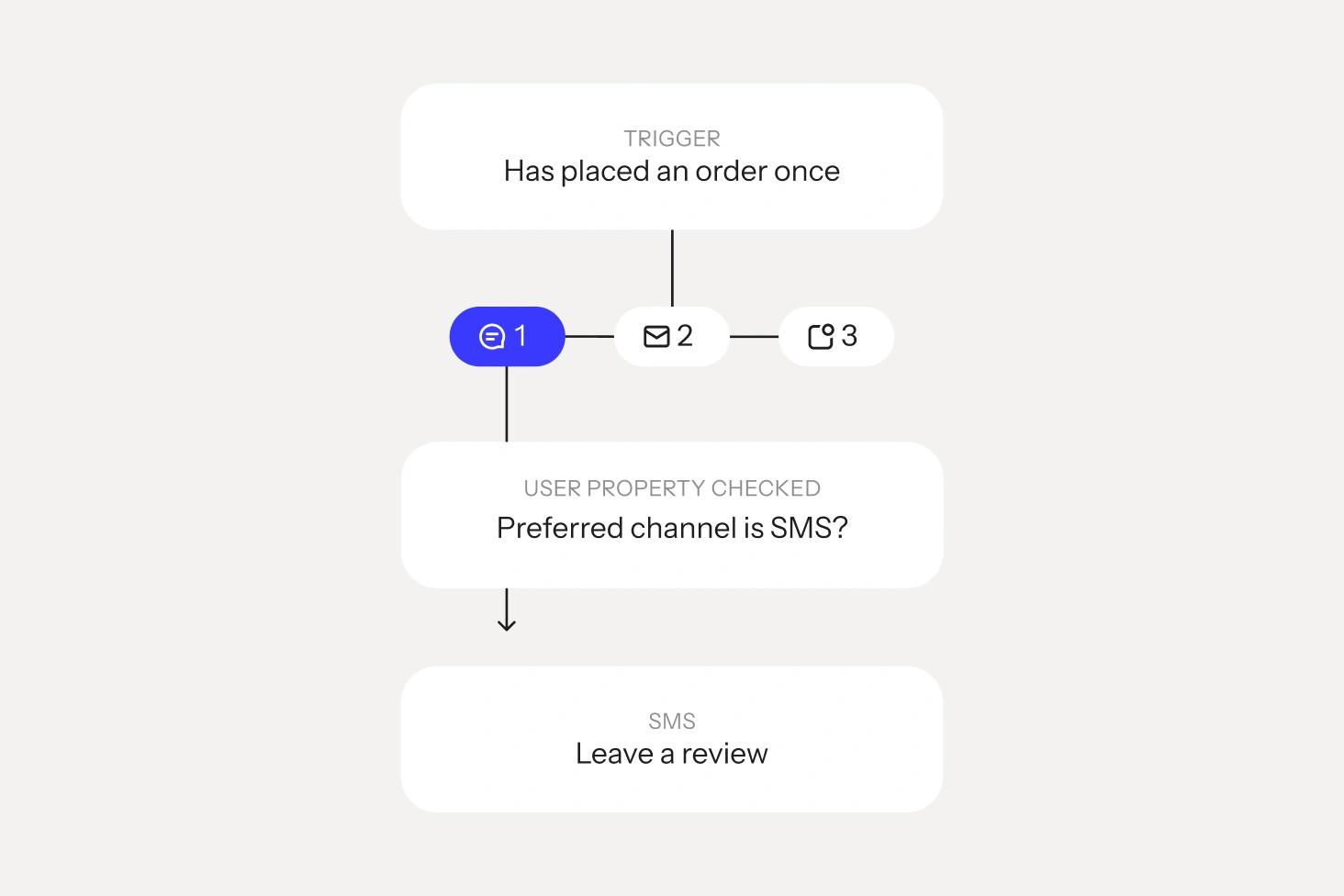
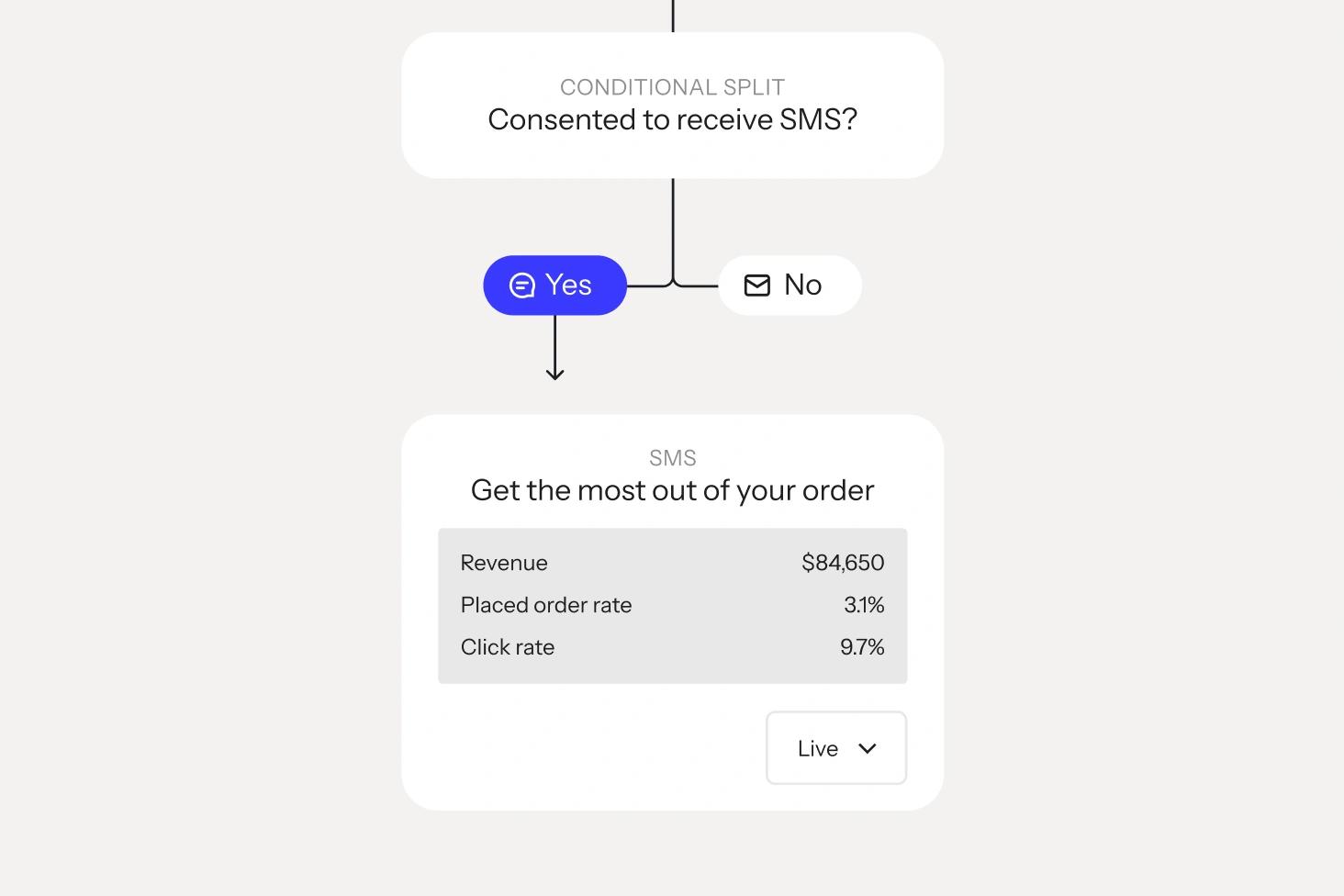
Combine email, SMS, and WhatsApp inside a single automation, with conditional splits that route each customer to the channel they engage with most.
AI-assisted from the start

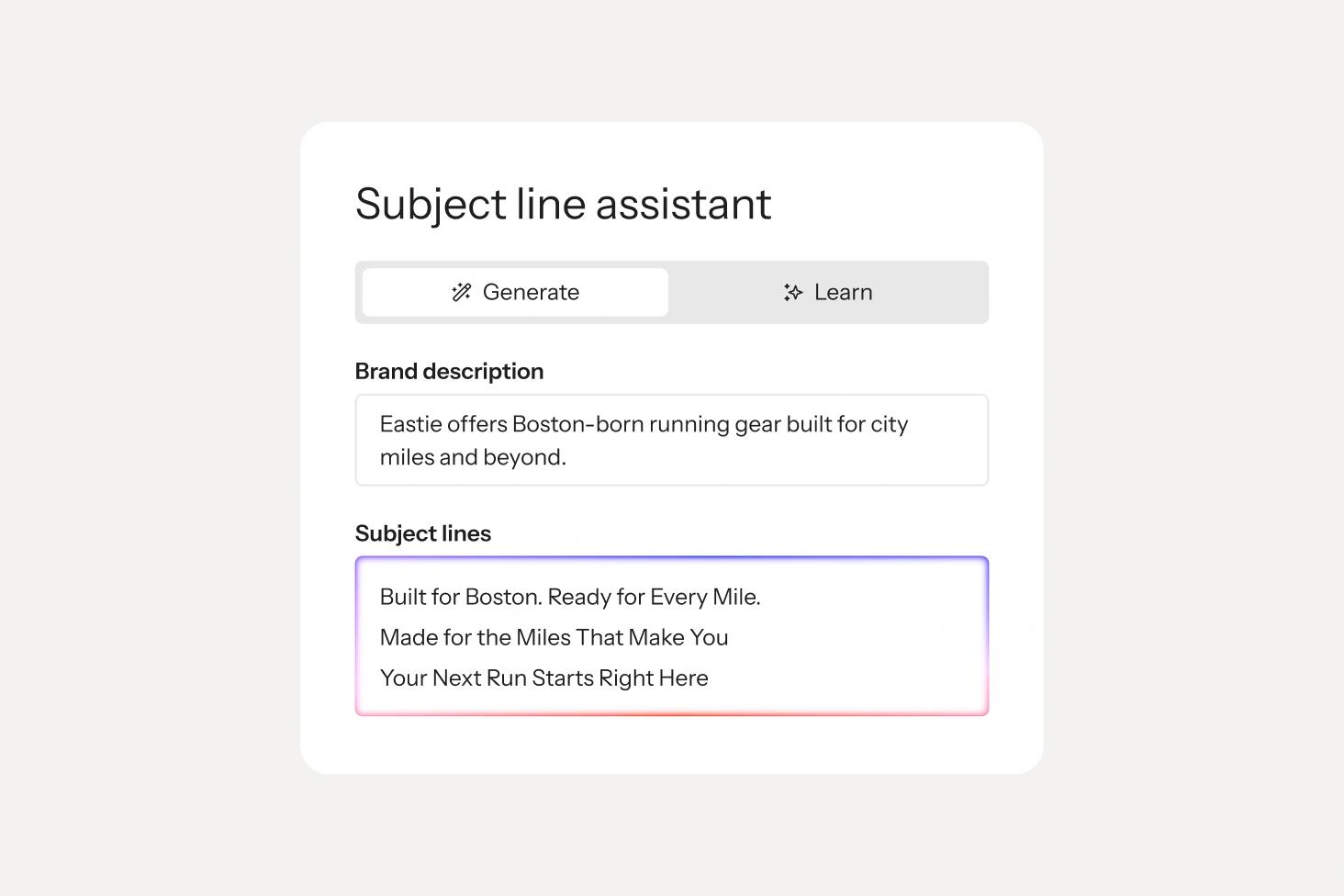
Klaviyo AI drafts subject lines, SMS copy, and send-time recommendations for every template, so you’re editing, not starting from a blank canvas

Revenue you can track

Every flow reports revenue, placed orders, and engagement back to one dashboard, so you always know what’s working.

Customer Spotlight
DOLLAR SHAVE CLUB logo
The biggest unlock from Klaviyo has been personalization at scale. We can do things we've never been able to do before because everything is under one roof.”

Melanie Fox, Director of lifecycle marketing, Dollar Shave Club

Your next flow is a template away

Sign up free and start from any template on this page, or get a demo and we'll help you map flows to your customer journey.
Customer winback


Customer winback workflow splits buyers into 60- and 75-day email paths, then sends a follow-up after 15 days.

Post-purchase followup


Automated post-purchase email workflow branching for new, repeat, and loyal customers.

Post-purchase bounce back


Automation flow showing a placed-order trigger followed by a draft first-time customer bounce-back email.

Repeat purchase nurture series


Automated customer nurture workflow branching into email and SMS messages based on purchase history and eligibility.

Replenishment reminder


Automation flow waits after an order, splits by SMS eligibility, then sends an SMS and replenishment email.

Product review / cross-sell


Automation flow waits 14 days after an order, then branches to send either an SMS or product review email.