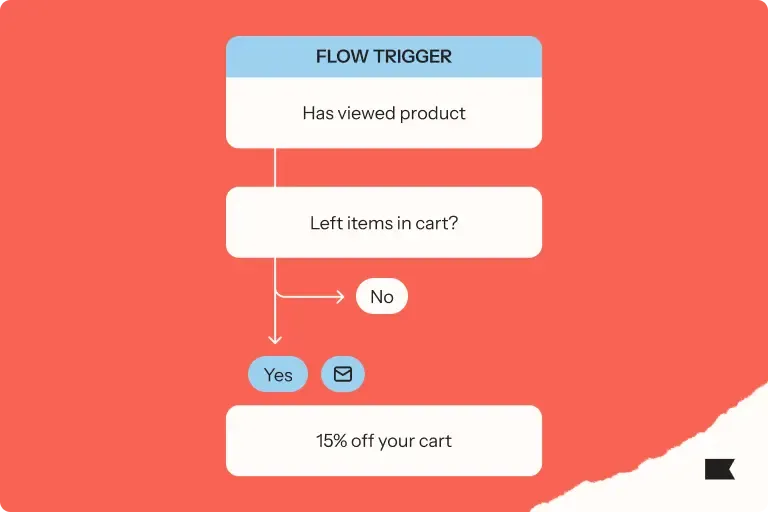
Shift to autonomous marketing
Generated by Klaviyo AI
The post explains how Klaviyo’s Marketing Agent moves teams from manual campaign execution toward more autonomous, strategy-focused marketing. It outlines how unified customer data, practical use cases, and built-in guardrails enable brands to generate, refine, and govern AI-driven campaigns without sacrificing control.
- From manual to autonomous: Marketing Agent reduces operational work like building campaigns step by step so marketers can focus more on lifecycle strategy and customer experience.
- Unified data foundation: Klaviyo’s built-in CDP unifies customer, product, and engagement data so Marketing Agent can generate relevant ideas, audiences, and channel recommendations with full context.
- Practical use cases: Brands use Marketing Agent to accelerate onboarding, maintain an educational campaign calendar, and act as a strategy engine for larger teams during planning and optimization.
- Guardrails and control: Brand voice analysis, fact-based content generation, promotion accuracy checks, and compliance safeguards help keep AI-generated campaigns on-brand and compliant.
- More time for strategy: By taking on repetitive implementation tasks, Marketing Agent frees retention teams to identify new lifecycle moments, refine segmentation, and focus on growth-driving work.
An email template audit is one of the most efficient ways to maximize your flow revenue.
When you don’t have the resources to build new automations from scratch, auditing your existing email templates can yield a surprising increase in revenue for a low amount of effort.
This guide will show you exactly where to start with an audit, how to conduct one, and how to make quick fixes that can increase the revenue you make in your sleep with automations.
What is an email template audit?
An email template audit is a systematic review of your email copy, design, and performance. Marketers conduct email template audits to assess what's underperforming so they can improve their templates.
You can think of an email template audit as a standing review. It's a diagnostic pass that tells you where to spend your time on strategy and redesign.
How often you run an audit depends less on the size of your brand than on how much you send and how often your templates change.
A quarterly audit is a good baseline for most brands. If you run a lot of automated flows, launch new ones often, or send at high volume, tighten that to monthly.
Run a quick pass before any major sending period like Black Friday Cyber Monday, too, and right after a rebrand or a move to a new email platform. These are moments when templates are most likely to break.
Why an email template audit matters
According to Klaviyo's 2026 email marketing benchmarks, flows drive about 41% of email revenue from just 5.3% of sends, with average revenue per recipient (RPR) that’s nearly 18x higher than campaigns.
Your automated flows are revenue infrastructure. Your abandoned cart reminders, browse abandonment nudges, and win-back sequences, for example, sell in the background long after you set them up.
When one of those email templates breaks, you can lose revenue. For example, a template that renders fine on desktop can collapse on mobile, making it impossible to tap on a call-to-action button on a phone. That one broken block can end up costing you a significant amount of revenue from mobile.
You may not have time to rebuild everything, but you might have time to find and fix the handful of templates that need it most. Here’s where you can prioritize your time and make the most of your audit.
What an email template audit covers
An email template audit is most efficient when you rank templates by potential revenue impact and address those that are costing you the most.
Start with your high-volume, high-value flows: abandoned cart reminders, post-purchase emails, win-back emails, and welcome series if you see a lot of first-time buyers from them. Then, within each group, let performance data set the priority.
The templates worth your first hours are the ones with high send volume but below average click and conversion rates. This is where the most revenue is walking out the door.
Resist the urge to rebuild your whole email program. A focused audit that repairs 3–4 high-impact templates can bring in more short-term revenue than a full redesign that spreads your attention thin. Find the biggest gaps, close them, then move down the list.
A thorough audit covers 5 areas:
1. Email copy
Read every template the way a subscriber would. Improving weak copy is often the fastest way to move your numbers.
Start with the goals good email copy should hit:
- Lead with the benefit. Open with what the reader can expect from your offer, so the value is clear in the first line and the preview text.
- Match the copy to segment and behavior. A first-time subscriber and a loyal repeat customer shouldn't see the same copy. Tailor copy to the shopper’s lifecycle stage, based on what they browsed, bought, or skipped.
- Pull in dynamic, personalized content. Use personalized blocks like AI product recommendations drawn from browsing and purchase history, so each template adapts to the customer.
Once the fundamentals are right, move to the smaller fixes that quietly cap performance:
- Tighten the subject line around a specific promise. A subject like, "Buy now, limited time" says nothing about why the product is worth wanting, so name what the shopper actually gets.
- Fix the CTAs. Cut competing buttons down to the one that matches the email's primary goal, so people are directed to exactly what you want them to do as a next step.
- Keep the copy and the offer in sync. If the email promises 15% off but your promo engine applies 10%, the audit just found a broken shopper experience. Fix the copy and sunset offers that are obsolete.
2. Design
Preview each template across common email clients such as Gmail, Apple Mail, and Outlook. Open every one on mobile and in dark mode to make sure they render properly.
Click or tap on every link and go through the full purchase experience to make sure the journey is user-friendly.
Pay special attention to your primary CTA button. It should look tappable, be big enough for a thumb, and sit above the fold on a phone, since the design and placement of that button matter as much as the words on it.
Pay attention to:
- Broken or slow-loading images
- Text that's too small to read on a phone
- Misaligned or overlapping columns
- Colors that invert badly in dark mode
- Layouts that don't collapse to a single column on mobile
- Fonts, colors, and a logo that don't match your brand
- Cramped spacing with too little while space
3. Deliverability and technical setup
Confirm your authentication at the account and domain level:
- Sender Policy Framework (SPF): This record lists the servers allowed to send email on behalf of your domain, so mailbox providers can confirm a message really came from you.
- DomainKeys Identified Mail (DKIM): This signature is added to every message so the receiving server can verify the email wasn't altered in transit.
- Domain-based Message Authentication, Reporting, and Conformance (DMARC): This policy tells mailbox providers what to do with messages that fail SPF or DKIM, and reports back on who is using your domain to send mail.
Also check every link to make sure none are broken. Unspam's Email Deliverability Benchmark found that, within the period between July 2025 to July 2026, 22% of links in emails were broken.
This is important because low engagement on one high-volume email automation can drag down your overall sender reputation as a brand.
4. Accessibility
Accessibility means making sure your emails work for everyone, including subscribers using screen readers and those who block images by default.
That means opting for real text over image-only email design, descriptive alt text on every image, and enough color contrast to easily read all copy.
These lapses are widespread. The Email Markup Consortium's Accessibility Report 2025 found that 51% of emails are missing image alt text and 59% have insufficient color contrast.
5. Performance data
For each template, pull average click rate, conversion rate, revenue per recipient, unsubscribe rate, and other deliverability metrics.
Then, compare each template against your own baseline for that flow type, so you're measuring a welcome email against other welcome emails rather than against your whole account.
When you compare these performance metrics to volume, you can start to see where you’re losing the most revenue.
Quick email template audit checklist
- Confirm that SPF, DKIM, and DMARC are in place and passing at the account and domain level.
- Pull all metrics for each email template.
- Compare average metrics for each template to the average for that automation type.
- Rank each template by send volume to assess potential revenue impact.
- Preview each email template across major email clients, on mobile, and in dark mode.
- Check each template’s copy against its target segment to make sure the offer matches.
- Make sure each email template opens with a clear benefit to the recipient.
- Check that each template pulls in dynamic content like personalized product recommendations.
- Rewrite vague subject lines around a specific, benefit-led promise.
- Reduce the template to one benefit-led CTA that matches the intent of each flow.
- Check that the primary CTA button is easy to tap and sits above the fold on mobile.
- Confirm the layout collapses to a single column on mobile.
- Make sure fonts, colors, and the logo match your brand.
- Click and tap on every link to make sure none are broken.
- Check that you’re not using image-only templates.
- Add descriptive alt text to each image.
- Check color contrast for screen readers and image-blocking.
Speed up your audit with Klaviyo Composer
Manual audits are important to spot the details, but Composer, Klaviyo’s AI marketing agent, can reveal the revenue opportunities you may be missing.
With plain-text prompts, marketers can ask where customers are dropping off and how they can make their email campaigns and flows better. Composer analyzes the sequence end-to-end, surfaces which step is underperforming and why, and recommends fixes in plain language.
From there, marketers can use a single prompt to build a complete campaign: audience, copy, channel coordination, timing, all in one conversational session.

Related content