Navigate settings faster
Generated by Klaviyo AI
This post explains how Klaviyo’s redesigned Settings page streamlines navigation and reduces time spent managing account options. It outlines the new tabbed layout and where to find billing, security, and other configuration areas.
- Redesigned layout: The Settings page now uses a tabbed structure so core areas are easier to find and the page is more organized.
- Quicker access path: Settings can be opened directly from the account ribbon via the Settings tab, reducing extra clicks.
- Billing and profiles: Billing and profiles are now accessible from both the main navigation and the Settings page.
- Security in Account tab: Security-related options like private API keys and multi-factor authentication are consolidated under the Account tab.
- Other configuration items: Consent pages, web feeds, and UTM tracking settings have been moved to the Other tab.
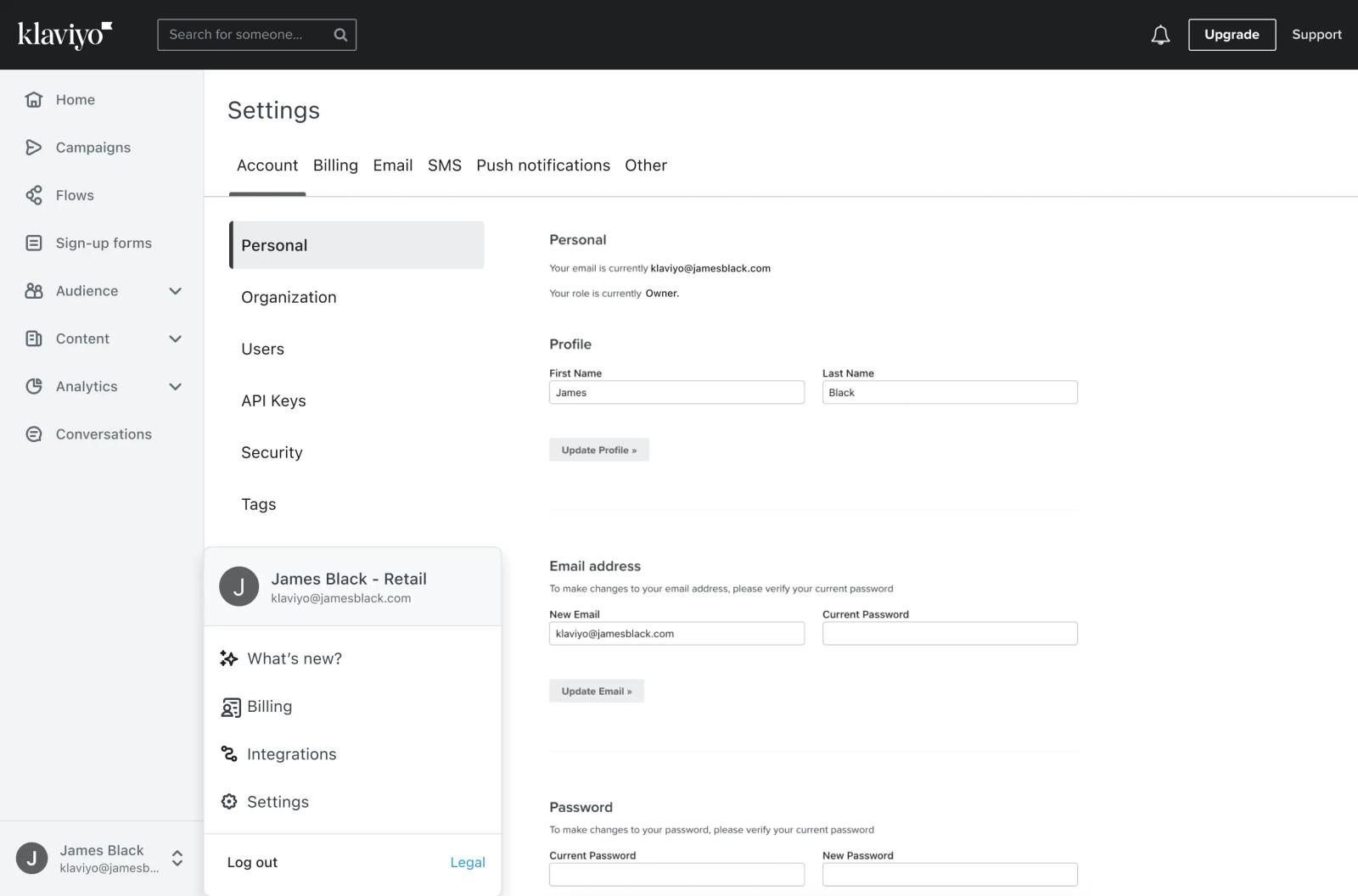
The Settings page has been redesigned to improve your workflow and save you time. Gone are the days of endlessly clicking around in your Klaviyo account. Now, you can simply click your account ribbon and hit the Settings tab.
Key changes to the Settings page
The redesigned user interface speeds up your workflow and saves you time. Four key things to know about this release:
- The Settings page has a new layout. Core areas of this page are now accessible through a tabbed structured to keep the page more organized
- Billing and profiles are now in your main navigation and settings. You can access your billing settings from both places in Klaviyo
- All Security related settings, like creating private API keys or setting up multi-factor authentication, have been moved to the Account tab of the settings page
- Consent pages, web feeds, and UTM tracking settings have been moved to the Other tab
Check out our Help Center for full details on general account settings available to you, or head to the Settings page in your account to explore this release.

Related content