Redesigned email template library
Generated by Klaviyo AI
The post explains how Klaviyo’s updated template library makes it easier to find, filter, and use email templates. It outlines new discovery options, enhanced filtering, and how existing saved and imported templates are handled in the redesign.
- Improved discoverability: The template library now lives under a dedicated Template library tab in the left sidebar, while remaining accessible from campaign and flow builders.
- Enhanced filtering options: Users can filter templates by type, layout, and season, with collapsible filters that appear only when needed.
- Support for saved templates: Previously saved or imported templates remain available via a dedicated tab, and HTML templates can still be imported through the import button.
- Universal content access: Universal content blocks are accessible through their own tab within the redesigned template library.
Picture this – your email template designer is on vacation and your boss tells you that there’s an urgent last minute campaign that needs to be sent out. You log into Klaviyo, create a new campaign, and cold sweats start to set in at the prospect of having to design this email on your own. Thankfully, Klaviyo has a template library and easy to use drag and drop editor built for people just like you. You immediately start to relax.
In the past, we’ve heard from customers that the template library hasn’t been easy enough to find or navigate through and that this was holding up your creative design process. Today we’re excited to announce that the library has been redesigned with better templates, an improved user experience, and more.
Easy to discover – with better filtering
Gone are the days of clicking around in the flow or campaign editor until you found the template library. With this release, you can now locate the template library right under the Template library tab on the left side bar. The template library will still be accessible through the campaign and flow builder so that you can browse through at any time in your process.
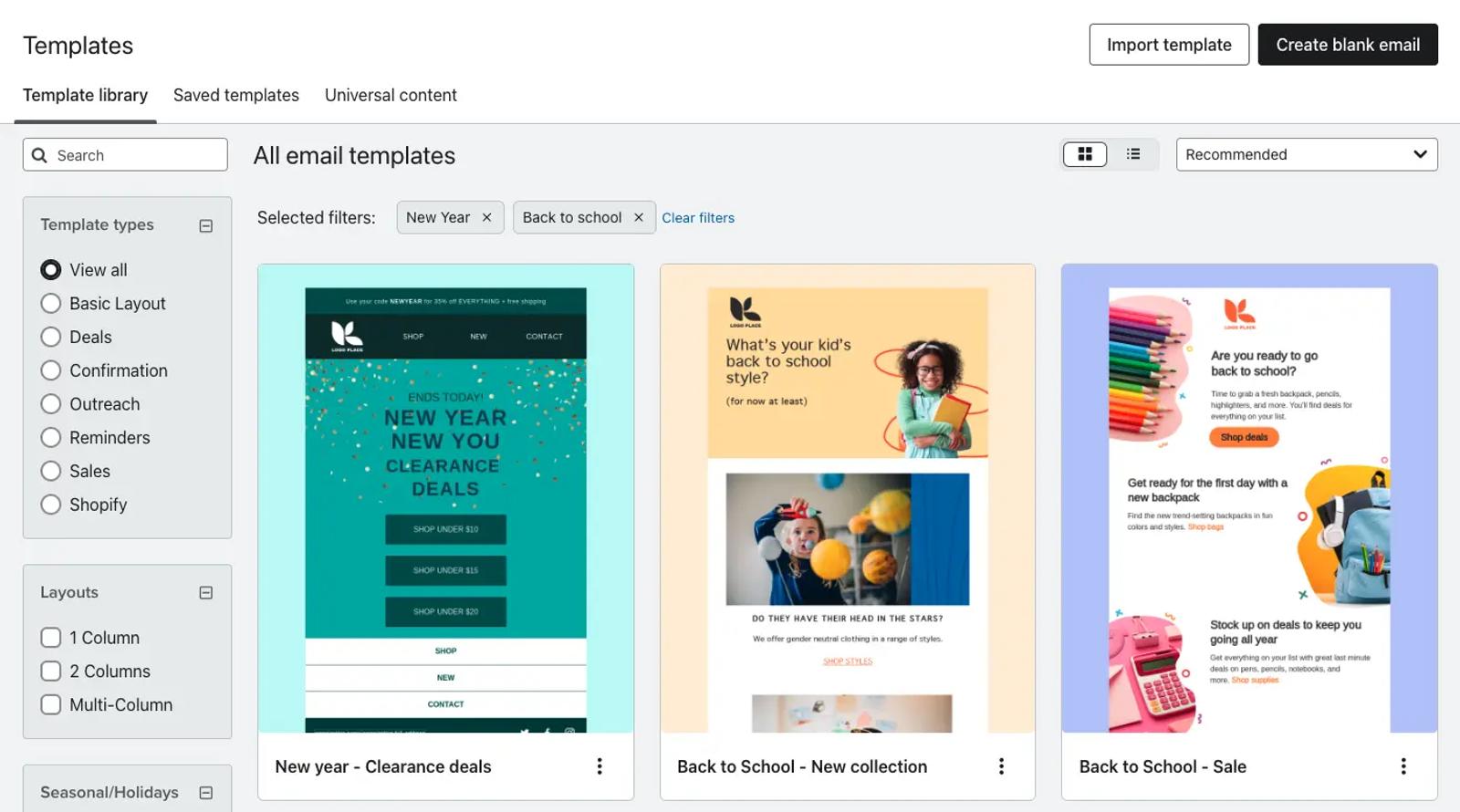
To help navigate the template library, we’ve added new filtering capabilities to allow you to better narrow down the type of template you’re looking for. Now you can filter the library by template type, layout, and by season to view holiday inspired templates. These filters are also collapsible so you only see them when you need to.
What about my saved templates?
Saved or imported templates will still be available with this redesign. You can view saved templates from the designated tab at the top of the library, and import HTML templates through the import button. Universal content blocks can be accessed through its own designated tab as well.
Check out the new templates today, or visit the Help Center for more information.

Related content