Faster insight into campaigns
Generated by Klaviyo AI
The new campaigns list view offers a more detailed, high-level overview of campaign performance alongside the omnichannel campaign calendar. Readers learn how to use enhanced analytics, filtering, and previews to quickly understand and manage their sending strategy.
- Enhanced performance snapshot: View placed order revenue, opens, click rates, and a chosen conversion metric over a selected timeframe directly from the campaigns page.
- Flexible filtering options: Filter campaigns by channel type, sending status, tags, and lists, and sort by any column to quickly locate specific items.
- Detailed campaign context: See Type, Status, and Last Updated in one view to understand which channels are used, which campaigns are joined for email and SMS, and where each campaign sits in the send lifecycle.
- Quick visual previews: Hover over any campaign to open a mini preview and confirm its content without leaving the list view.
With the release of the omnichannel campaign calendar announced at our Spring 2023 Klaviyo Product Event, we’d be remiss if we didn’t also reimagine the list view for your campaigns. Your campaigns list view provides a high-level overview of performance, the channels you’re sending on, and the status of each item reflected in this list.
We’re excited to announce that the new campaigns list view is more powerful and useful than ever before.
High-level analytics at your fingertips
Snapshots of placed order revenue, opens, and click rates were always visible from this page in the past – we’ve added some more elements to the Campaigns page to give you greater visibility into your performance at a glance. Choose the conversion metric and timeframe that you’d like to see performance for from the dropdown menus at the top of the page.
New filtering capabilities by channel type, sending status, tags, and lists gives you greater control over how you want to see your list of campaigns. You can also sort by any column to find what you need fast!
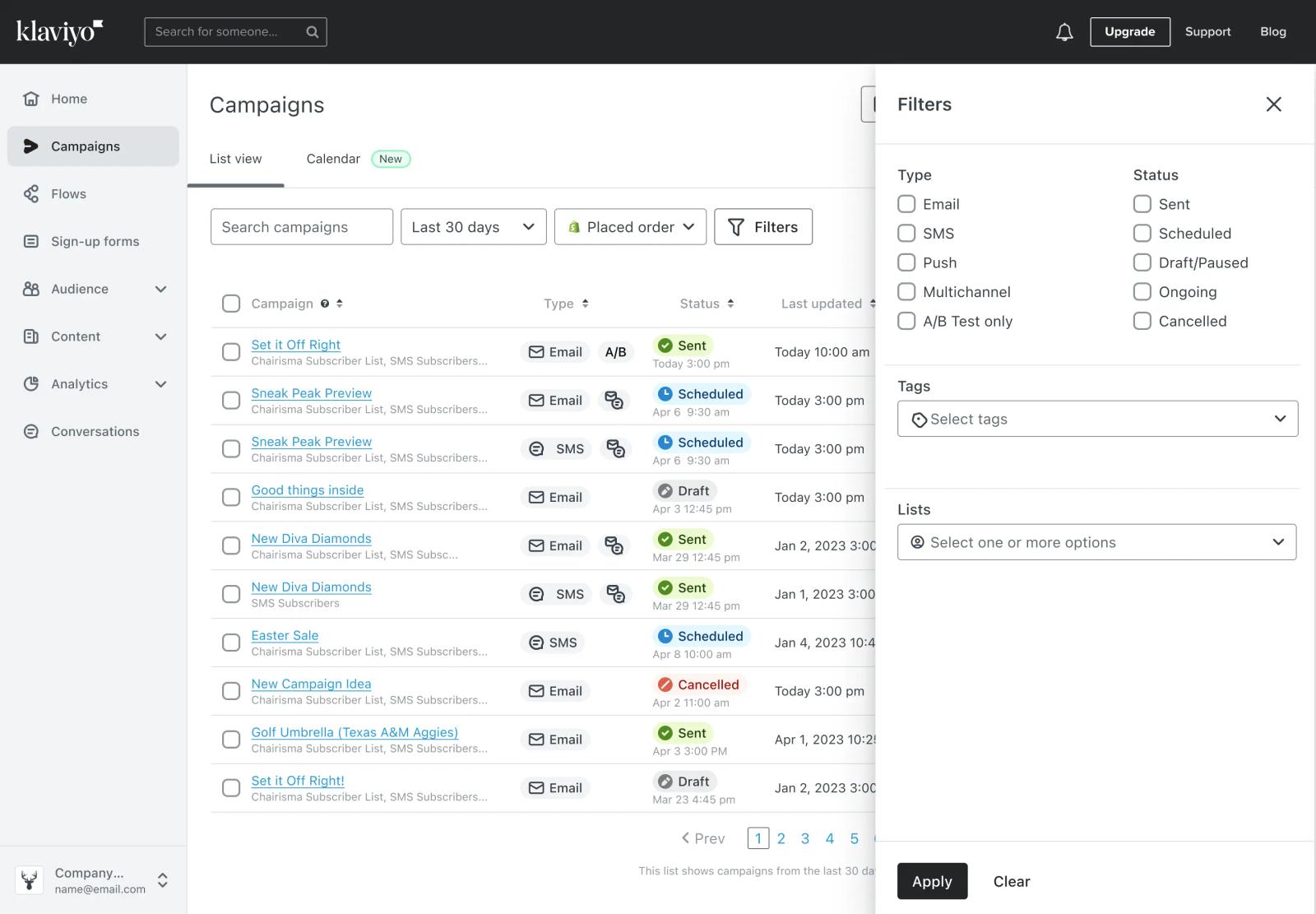
Type, Status, and Last Updated are included in this view to help you see a more detailed overview of where your campaign sending strategy stands. This layout lets you easily see what channels you’re using or even which campaigns are joined for email and SMS. The status column shows you which campaigns are in draft, scheduled, or sent.
Previewing campaigns has never been easier. Just hover over a campaign to see a mini preview of what it looks like.
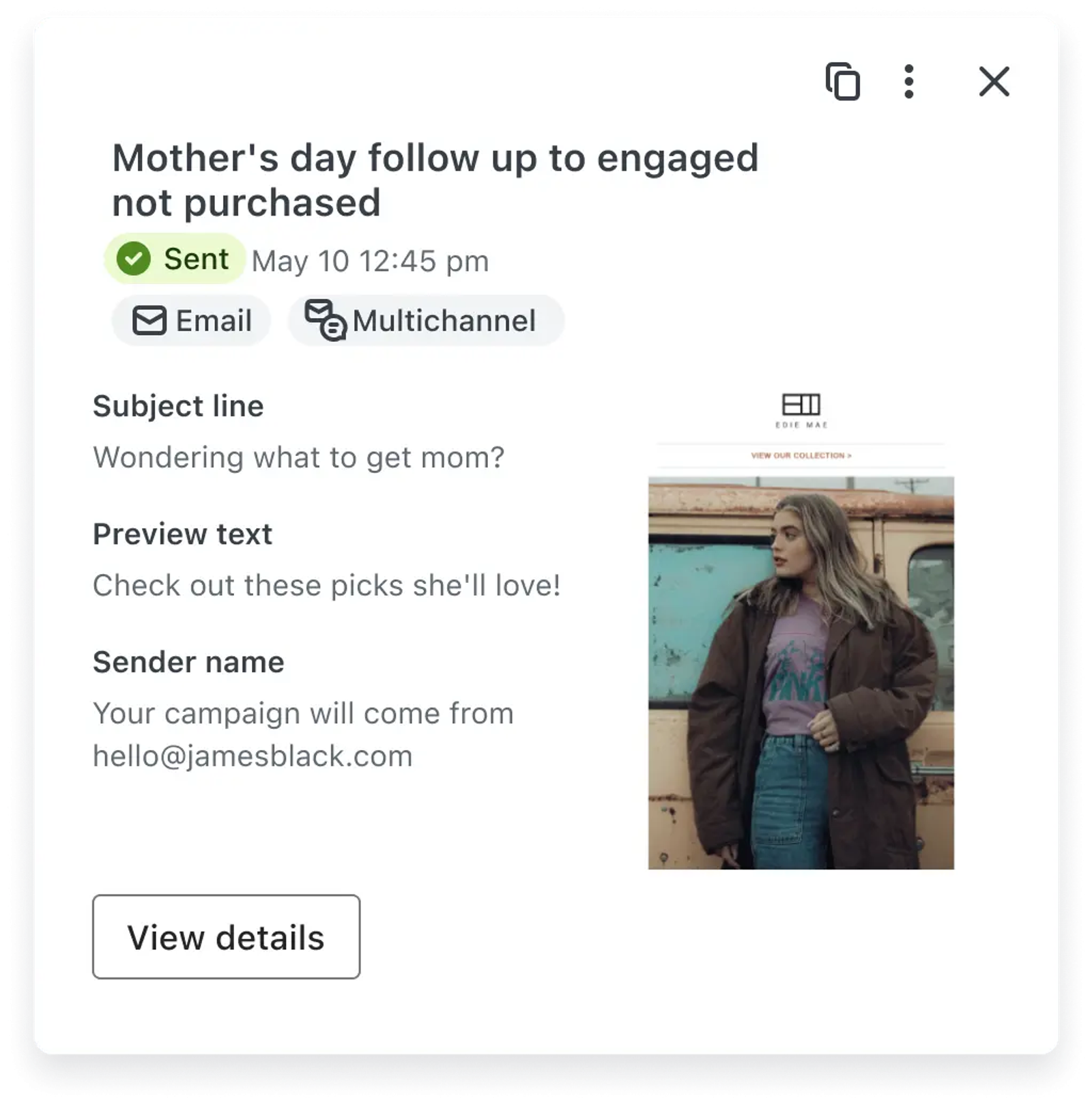
The new campaigns list view helps you quickly find what you need by giving you a snapshot view of performance. Toggle in between the list view and the calendar for different ways to visualize your sending strategy.

Related content