Create on-brand emails with AI
Generated by Klaviyo AI
The article explains how Klaviyo’s Email AI helps marketers quickly generate on-brand email sections from simple text prompts. It outlines how to use the drag-and-drop editor with AI to build layouts and content while saving time and maintaining existing design styles.
- Time-saving benefits: Generative AI reduces busy work for marketers, potentially saving several hours per week and freeing time for higher-impact projects.
- Email AI workflow: Users add or select a section in Klaviyo’s drag-and-drop editor, click the AI sparkle icon, describe their goal, and generate multiple draft options in seconds.
- Flexible layout generation: Email AI can create complete layouts including text blocks, multi-column sections, images, product blocks, buttons, and spacers based on the prompt.
- On-brand styling: The tool automatically applies fonts, colors, and styles from the existing template, which can then be edited as needed.
- Related AI features: The article links to additional resources on using Email AI, Define with AI for segments, SMS AI, and universal and saved content in Klaviyo.
With the ability to effortlessly create content at scale, generative AI has become a staple for email marketers. AI is an incredibly powerful tool to eliminate busy work, increase productivity, and make room for meaningful projects. According to one study, generative AI can save marketers over five hours per week – the equivalent of over a month per year. And, more than half of marketers (53%) say generative AI is a game-changer that will transform their role.
Today, we’re excited to announce another AI feature that will help you work smarter and more efficiently. With Email AI, type the goals of your campaign and Klaviyo will create an on-brand section for you. In a few seconds, generative AI will create relevant email content based on your input – helping you schedule and send your campaign much faster. All paying Klaviyo customers now have access to Email AI.
How create email content with AI
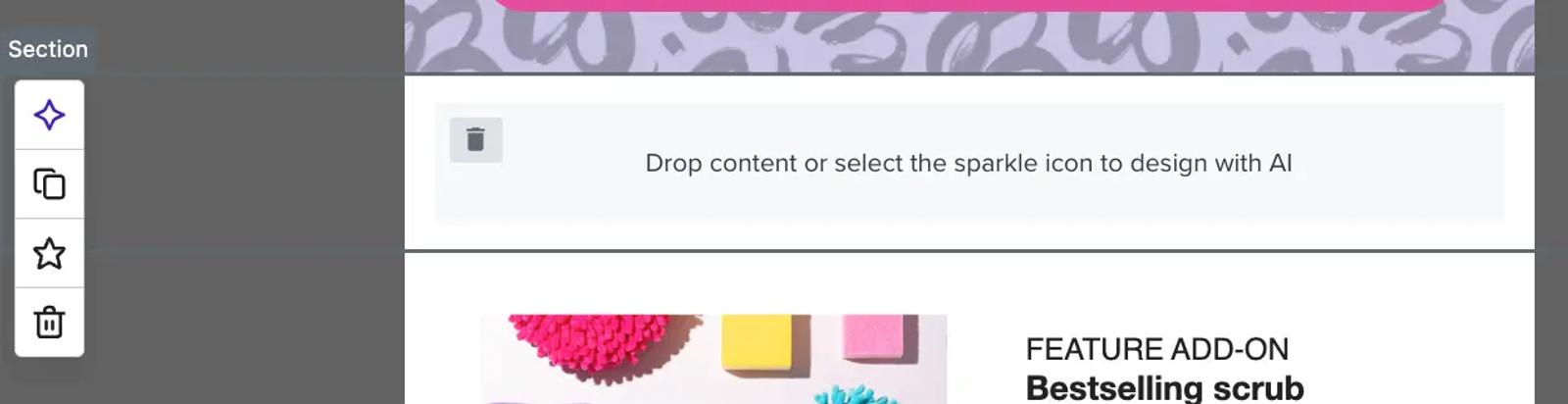
Head to Klaviyo’s drag-and-drop email editor. You first need to add a section (or select an existing section). Then, click the AI sparkle icon next to the selected section. Whenever you see this sparkle icon in Klaviyo, AI will help you work smarter.
Then, input a text description of the section you’d like to create. For example, “Create a sale reminder for 20% off with urgency to order before midnight. Make it a two-column layout with an image at the top and a button below.” Click Generate drafts and in a few seconds, several options will appear for you to choose from.
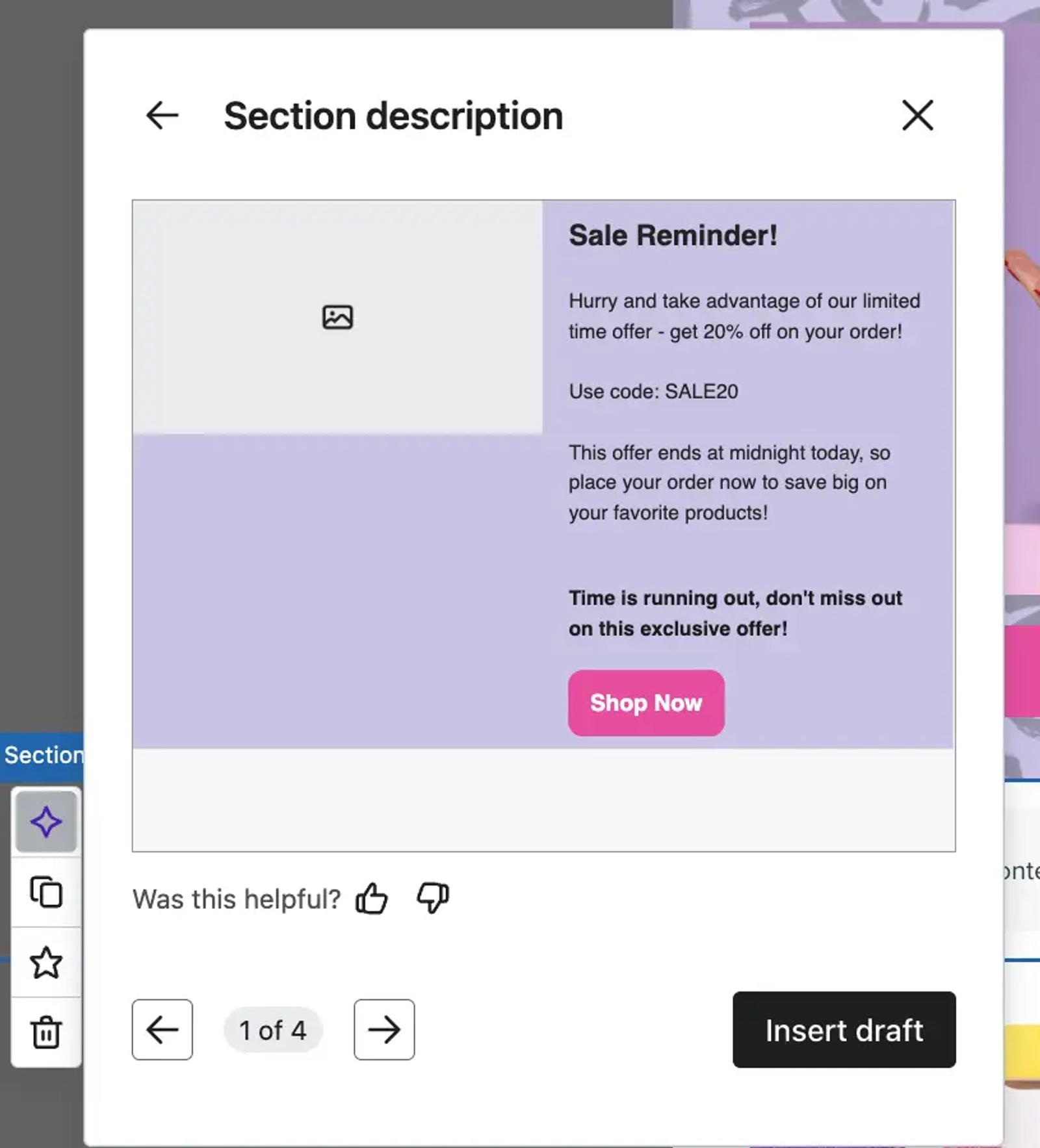
Email AI recognises a wide variety of text inputs and generates complete layouts, ready for you to edit and finalise. Here are some examples of what Email AI can create:
- Text blocks, including AI-generated copy
- Two or three-column layouts
- Image blocks
- Product blocks
- Button blocks
- Spacers
Email AI also automatically pulls the fonts, colors, and styles from your template to save you even more time. You can edit these at any time once you select a section layout.
Learn more
Generative AI is playing a pivotal role in helping marketers work smarter, not harder. With Klaviyo, you can speed up the content creation process, across the platform, to deliver meaningful experiences at scale. Below, check out a few resources on how to use generative AI in Klaviyo.
Related content