AI-optimized form display timing
Generated by Klaviyo AI
The article explains how Klaviyo’s forms display optimisation uses AI-driven experiments to identify the highest-converting display time for sign-up forms. It outlines the steps to set up an optimisation test and how Klaviyo automatically applies the winning timing to support faster, more efficient list growth.
- AI display optimisation: Klaviyo’s forms display optimisation tool uses AI to test multiple display-time variations and find the highest-converting option for sign-up forms.
- Simple test setup: Users create or open a form, start an optimisation A/B test, and configure traffic splits—typically a 50/50 division between test and control groups.
- Automated experimentation: Klaviyo runs a series of AI-generated experiments across different display timings, allowing users to monitor results during each phase.
- Automatic winner selection: Once AI identifies the best-performing display time, Klaviyo automatically sets the winning form live to support ongoing list growth.
- Eligibility requirement: Forms display optimisation is available for Klaviyo accounts that have at least 400k profiles.
Whether you use a full-screen, pop-up, or embedded form, you’ve likely experienced the power of using a sign-up form on your website to collect shoppers’ contact information and build your email and SMS lists. Nailing your form’s display time is absolutely essential for list growth – you only have a short window to capture people’s attention. But it can be a challenge to understand exactly what display time works best for sign-up forms.
We’re excited to announce forms display optimisation – a new AI testing tool for faster, more efficient list growth. Forms display optimisation is like a GPS for web forms. AI tests multiple versions of your form to find the highest-converting display time. Then, Klaviyo will automatically select the winning version, and set that form live.
Note: This feature is available for Klaviyo accounts with at least 400k profiles.
How to optimise a form’s display time with AI
Head to the Sign-up forms tab in Klaviyo. You’ll either need to create a new form, or open one of your existing ones. Next, select Create A/B test and click Optimisation test.
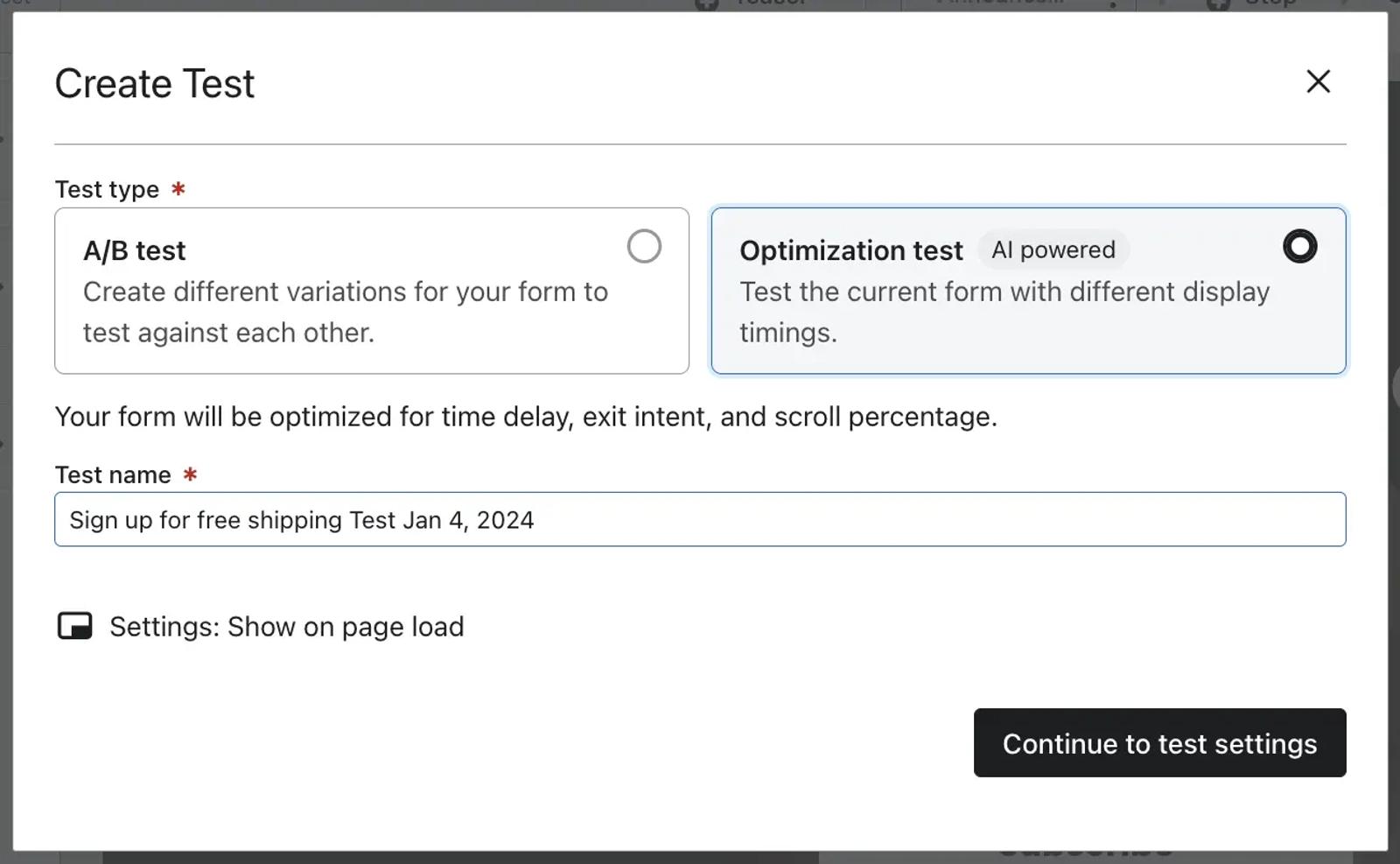
Continue to your test settings. Here, choose the percentage of traffic for each group (we recommend a 50/50 split for your test and control groups). Finally, click Start optimisation.
Klaviyo will run a series of AI-generated experiments to determine the most effective display time for conversion. Our optimisation test will run through various phases, using AI to test and measure the current form against variations with different display timing. At any point, you can check the results of the experimentation phases.
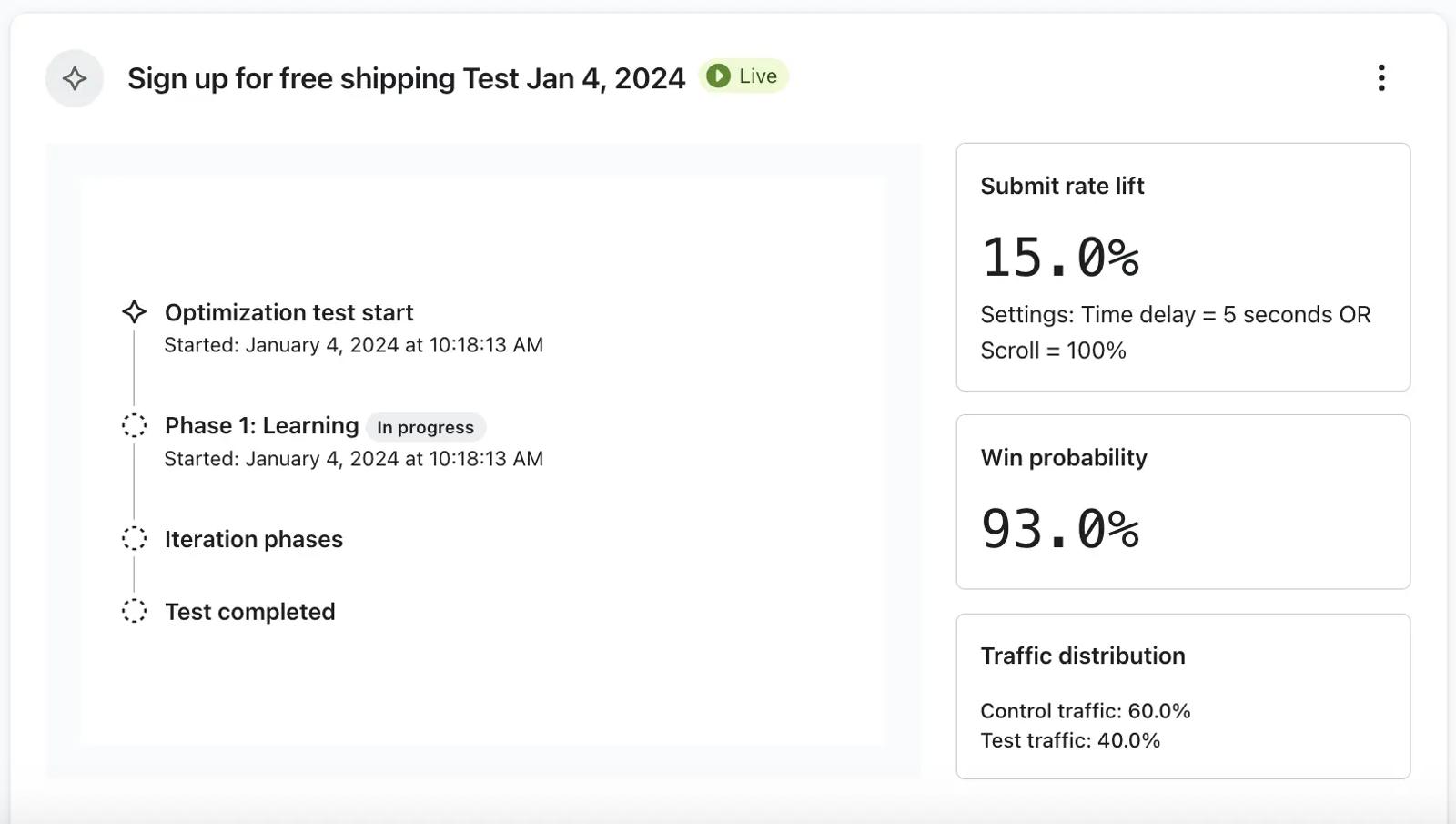
The optimisation process will continue running until AI finds the best display timing. Then, Klaviyo will automatically set the winning form live. With this new tool, Klaviyo puts form optimisation on autopilot – so your list growth is even easier.
Learn more
We’re excited to release more AI features that guide you to your best performance. Below are some additional Klaviyo Help Centre resources on how to use Klaviyo to optimise your sign-up forms.

Related content