Boost sign-ups with full-page forms
Generated by Klaviyo AI
The article explains how full-page sign-up forms in Klaviyo can help capture more customer attention than partial-page forms. It outlines when to use them, such as for important offers or list growth experiments, and how to set them up in the form builder or with templates.
- Full-page form benefit: Full-page sign-up forms can drive higher attention and potentially more submissions than partial-page forms.
- Use cases: They are suited for highlighting important offers like new product drops or for testing new list growth strategies.
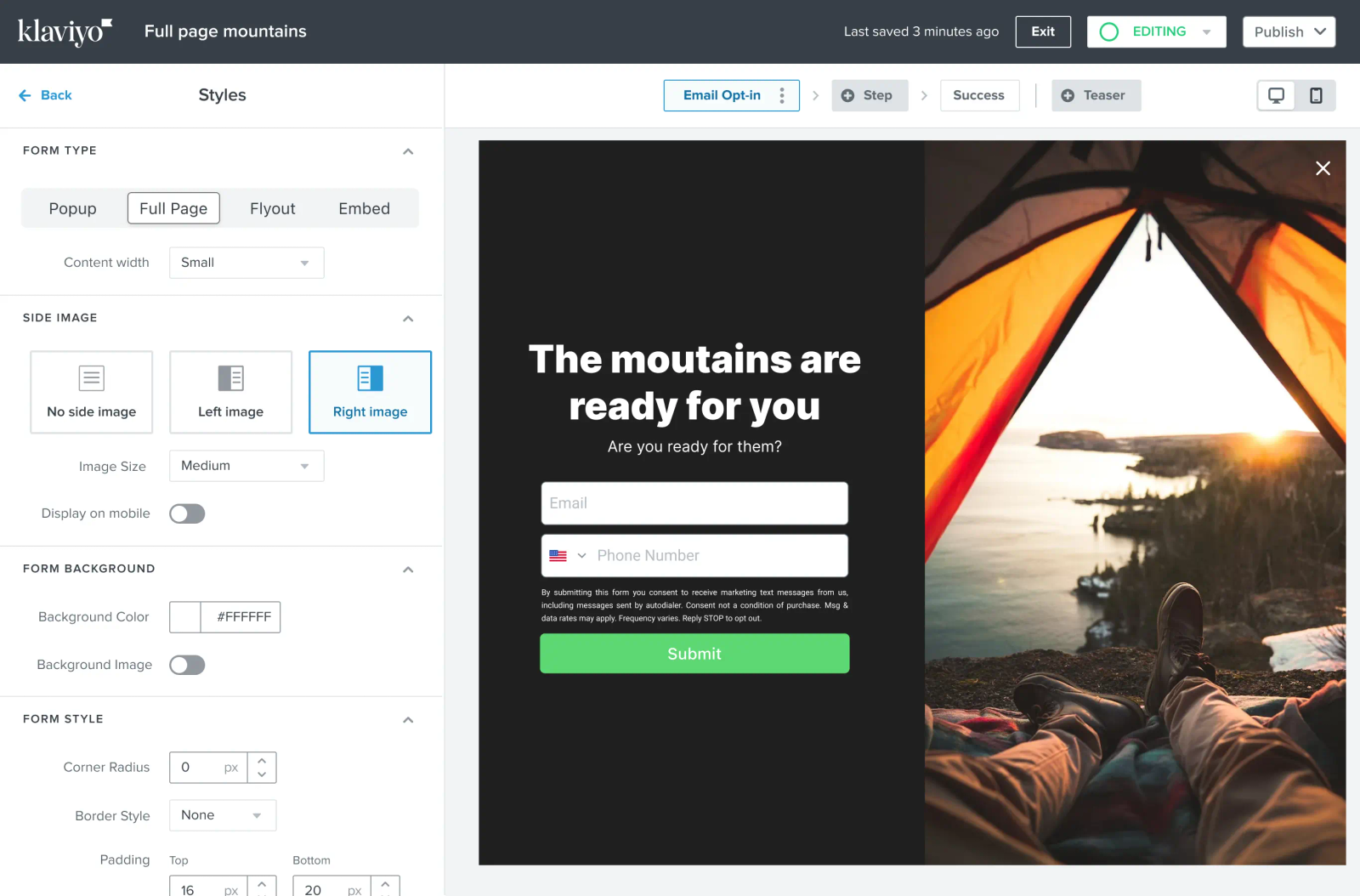
- Simple setup: In the Klaviyo form builder, selecting the “full page” style under “Styles” enables quick creation of full-page forms.
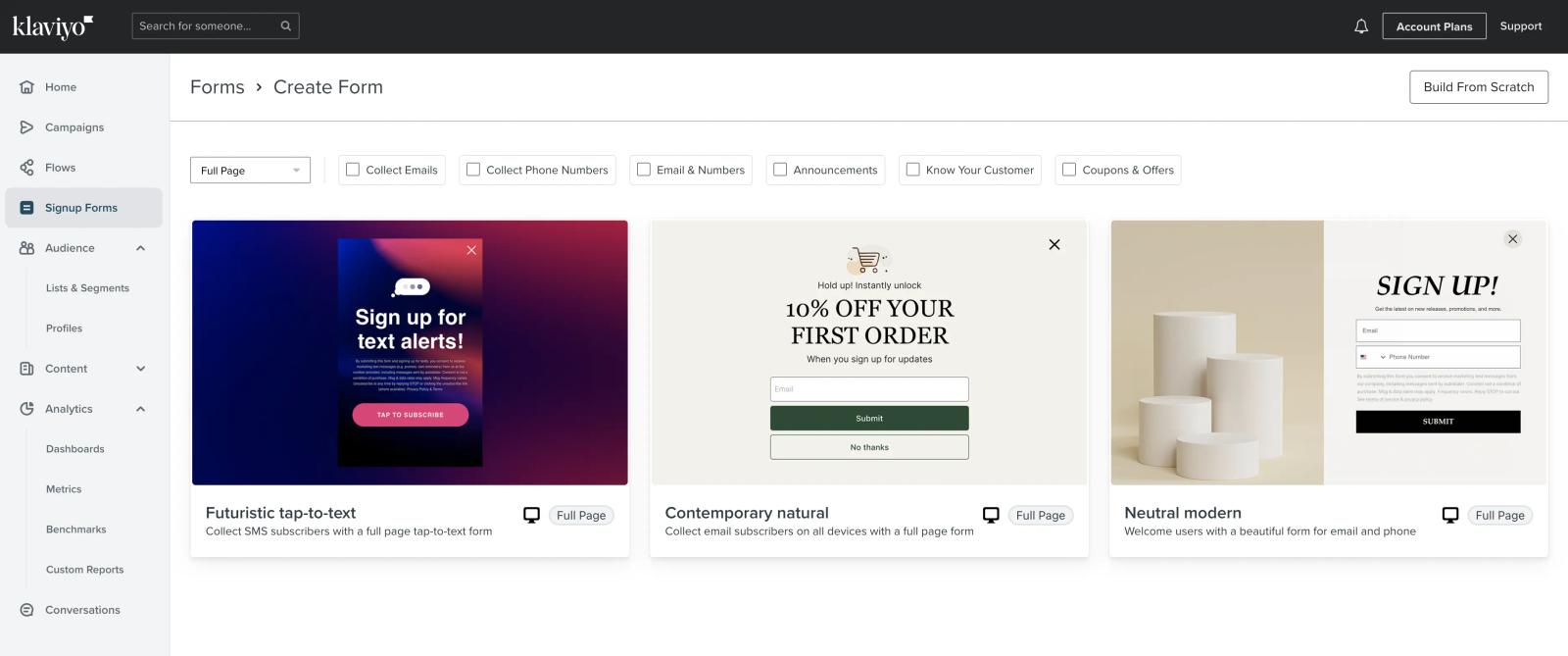
- Template options: Pre-made full-page form templates in the sign-up form library provide design inspiration and faster deployment.
You can do a lot with sign-up forms, like grow your marketing list, gather more customer data, and drive conversions. But partial-page forms can have lower submission rates.
You can now capture more attention with full-page sign-up forms in Klaviyo.
Pop-ups and fly-outs are traditionally considered to be non-invasive ways to capture shoppers’ attention. They generally don’t disrupt the browsing experience on your site, as they don’t take up much space on the screen.
Maybe you have an important offer that needs to be seen, like a new product drop, or perhaps you’re looking for new ways to experiment with improving list growth. Get your audience’s attention with sign-up forms that fill their entire browser.
Setting up a full-page form is simple. In the form builder, select the “full page” setting under the “Styles” section and continue designing your form. If you’re running low on time or need design inspiration, you can check out our pre-made full-page form templates in our sign-up form library.
Get started with full-page forms today.

Related content