Use QR codes to power Klaviyo
Generated by Klaviyo AI
The post explains how Klaviyo and Brij work together to capture first-party data via QR codes and sync it into Klaviyo. It outlines setup steps, example flows and segments, and how to use Klaviyo reporting to analyze QR-driven customer behavior and campaign performance.
- Integration setup: Readers learn how to connect Brij and Klaviyo via API key, choose event data to sync, and configure tags, lists, and custom fields in about 15 minutes.
- First-party data capture: Brij QR codes enable merchants to collect data at the SKU or unit level for product registration, reorders, subscriptions, and warranties, then pass it into Klaviyo.
- Automated flows: The article describes metric-based flows such as warranty completion and registration confirmation emails triggered shortly after Brij registrations are submitted.
- Segmentation options: Merchants can segment Klaviyo profiles using Brij data, including most recent customers and customers with approved registrations by type.
- Reporting and use cases: Klaviyo’s pre-built reports and Brij event reporting support analysis of QR code campaign performance, including flows, conversions, and behavior-based upsell and cross-sell messaging.
Klaviyo partner co-author blogs are a collaborative medium where third-party apps that have built an integration with Klaviyo contribute insights on how to make the best of two integrations working in tandem. This blog aims to highlight the benefits, challenges, and best practices when using Klaviyo and third-party app tools.
Klaviyo is a data-driven automation platform that gives business owners direct ownership of communication with their customers through different channels such as email, SMS, push notifications. Brij is a QR code experience platform that helps brands develop a connected experience across all the channels that they sell through.
Using Brij QR codes, merchants can capture first-party data, pass it to Klaviyo, and automate flows to drive reorder of the products.
Integrating Klaviyo with Brij
To get started with Brij and Klaviyo, you first need to create an account with both platforms. Once you have both accounts set up, you can add Klaviyo integration from your Brij.it UI.
- In your Brij.it dashboard, go to “Settings” and select “Integration.” Select “Klaviyo.”
- Connect your Klaviyo account by entering your API key.
- Choose the event data you’d like to sync between Brij.it and Klaviyo.
- Customize how data is synced between the two platforms by selecting one of these options: tags, lists, and custom fields.
Once you enable your Brij account and connect it to Klaviyo, you should be all set. Your contact information, metrics, and properties will be directly synced with Klaviyo. The whole process should take you about 15 minutes to complete.
Klaviyo x Brij use cases
Merchants can use Brij for data capture down to the SKU or unit level, product registration, reorder, subscription opt-in, and so on.
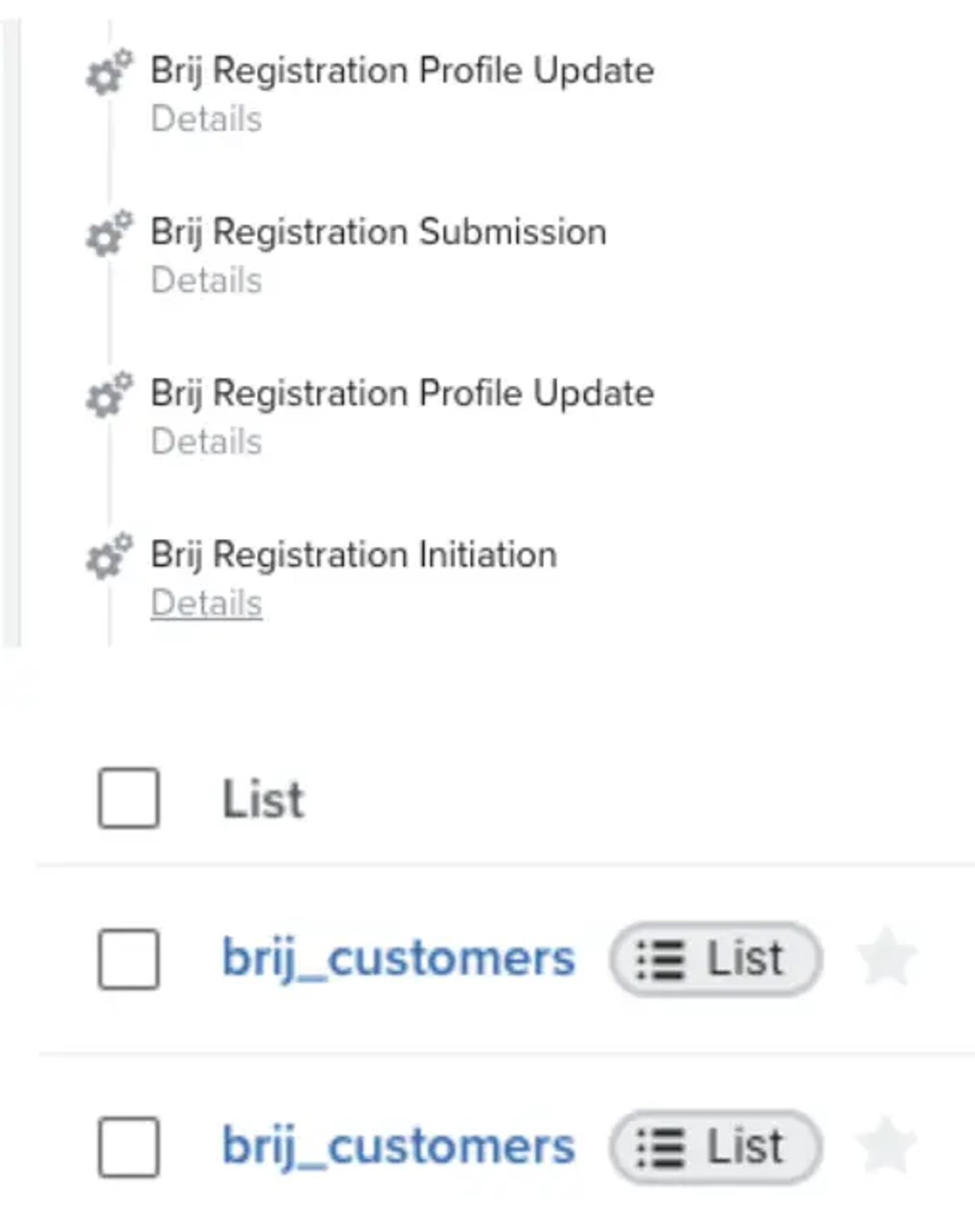
Once your Brij and Klaviyo integrations are working in sync, you can see the following metrics being ingested from Brij:
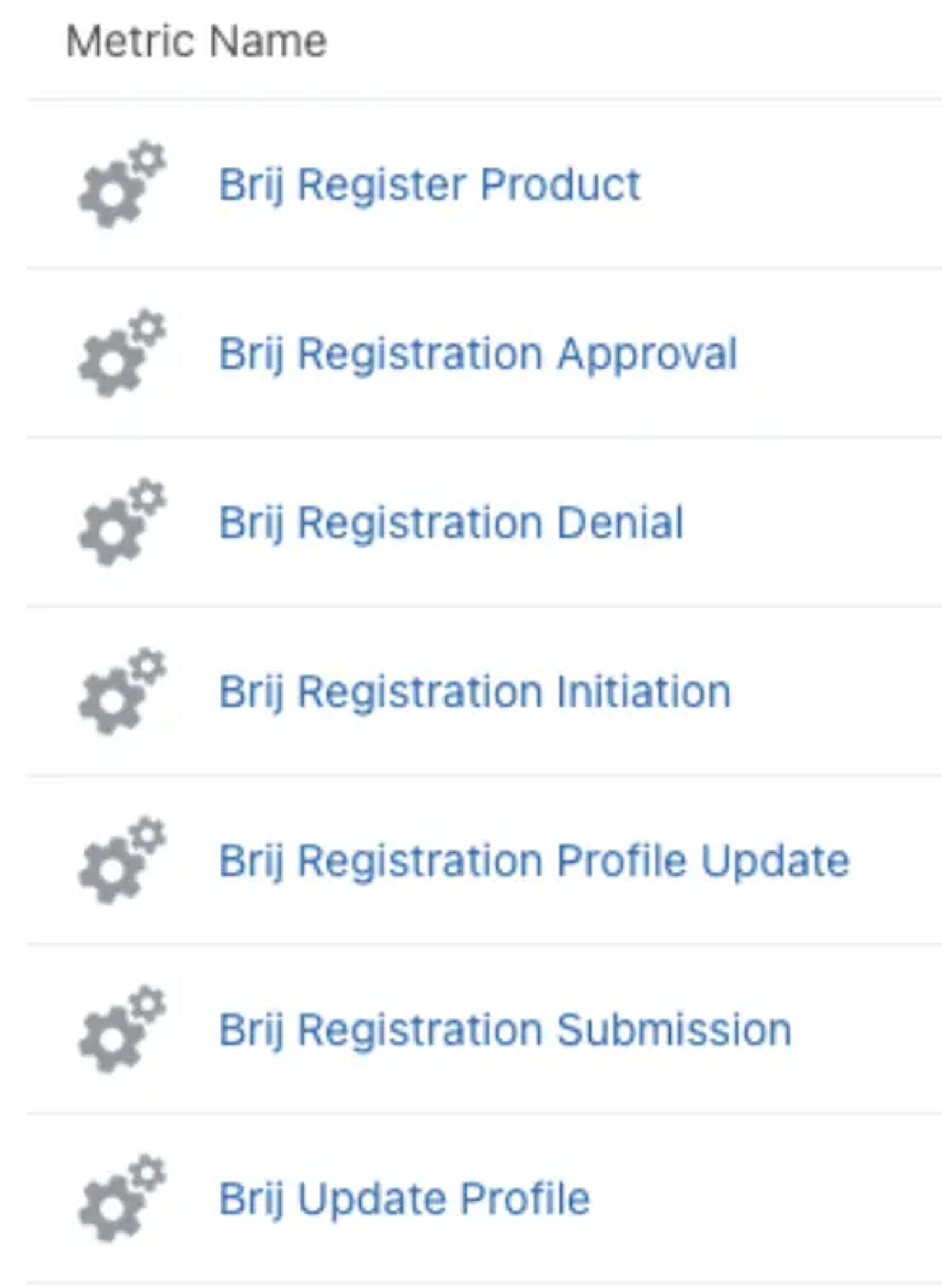
Besides those primary metrics, Brij can also pass the following data to Klaviyo:
- Warranty completion
- Warranty confirmation
- Warranty incomplete
With these metrics, you might set up a warranty completion confirmation email flow, or a warranty incomplete flow reminding customers to come back to finish their registration.
One of the most frequently used flows is the metric-based flow, where the recipient is queued up once the Brij registration has been submitted. The recipient’s profile updates automatically and an email goes out 5 minutes after the registration submission.
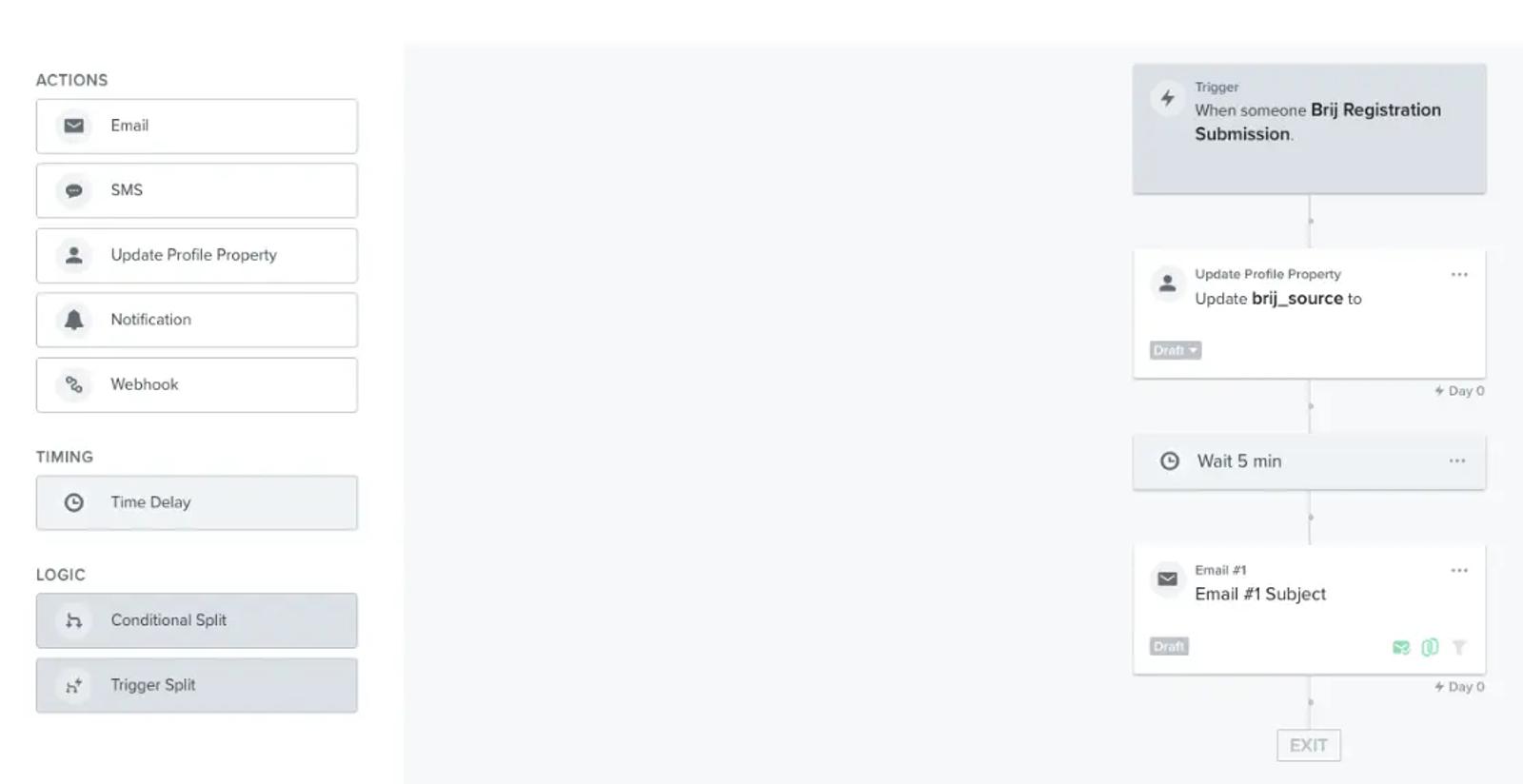
Here are the additional types of flows you can automate and customize in Klaviyo:
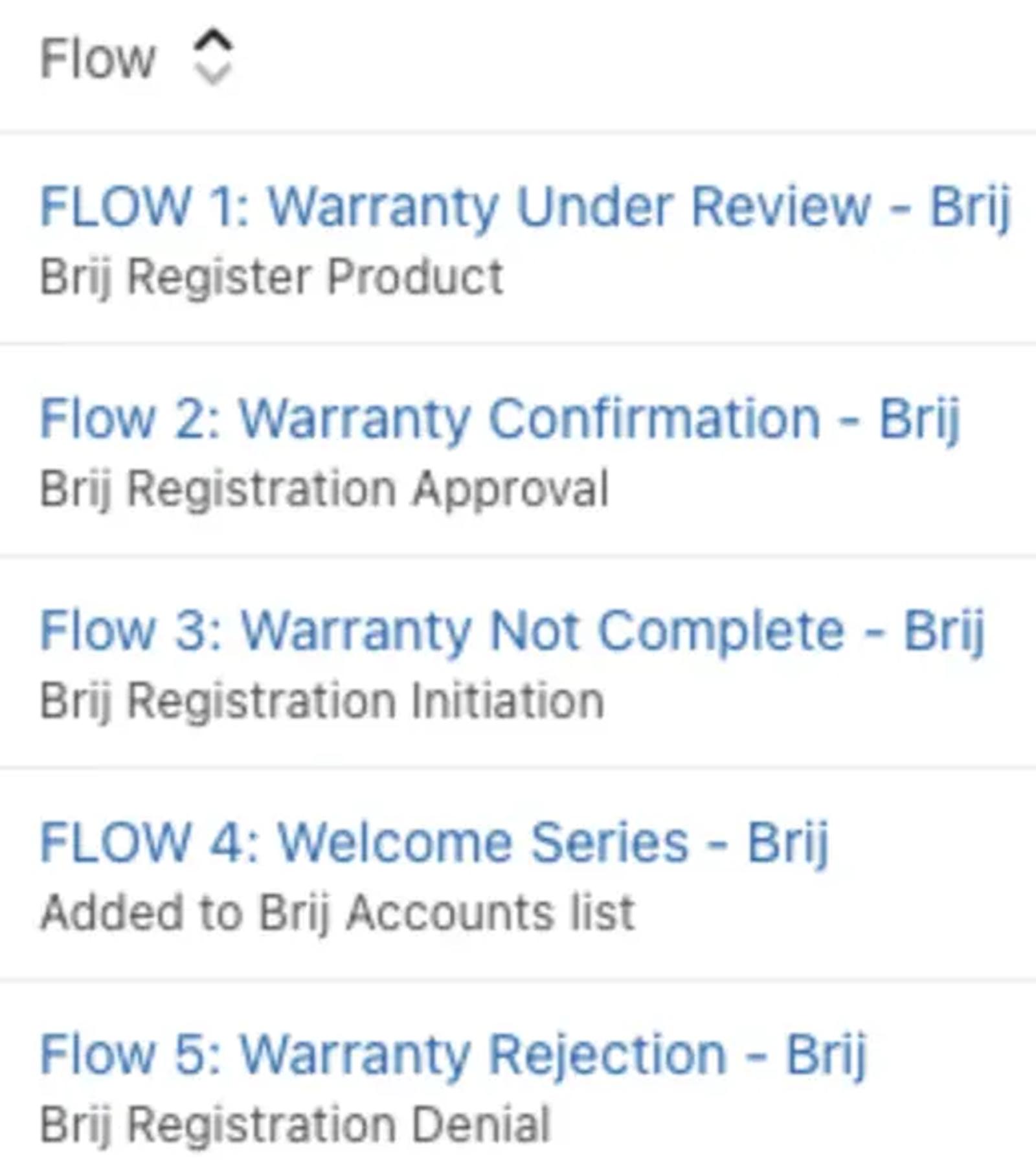
Brij syncs a list of profiles that have registered a product, signed up for warranty, initiated registration, registration approval and more over to Klaviyo. Without Brij, it wouldn’t be possible to find out who those recipients are.
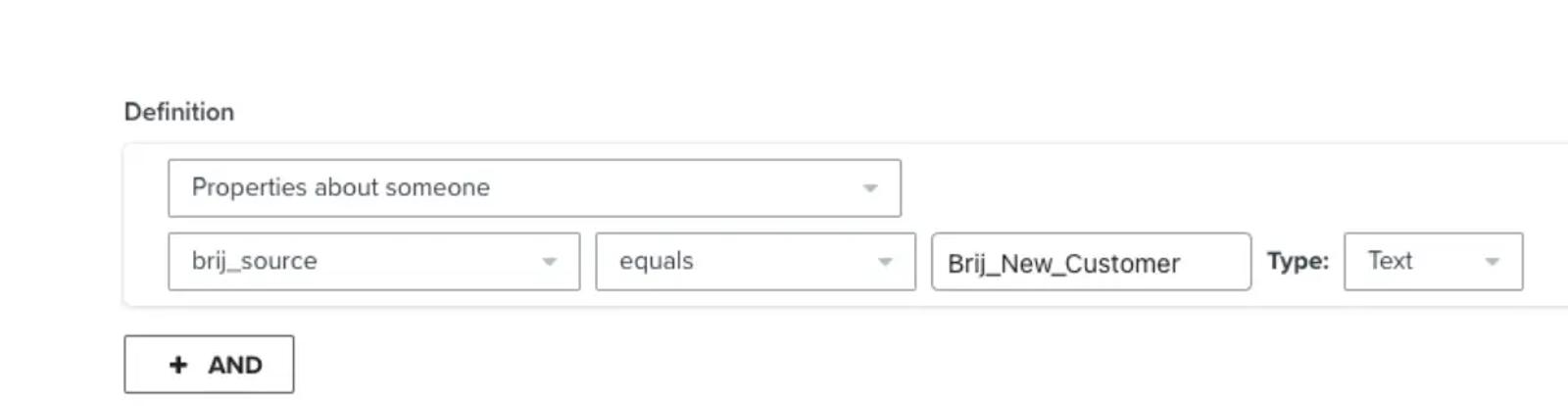
Another way to use Brij’s information in Klaviyo is by segmenting profiles based on the information you’d like to target. For example, you can create a segment of profiles who are the most recent customer.
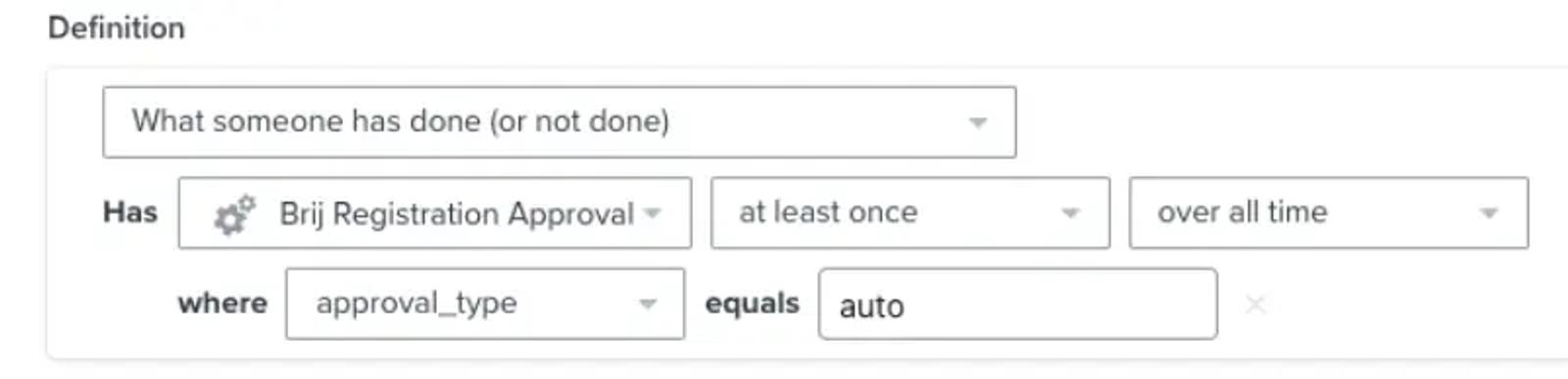
One of the most frequently used segments that merchants use is identifying the customers who have been approved a registration by type.
Using Klaviyo to analyze customer behavior
Klaviyo’s reporting tool provides granular details about recipient, flow, campaign, email, SMS, and segment performance. You can pretty much find out any type of information you want by breaking down the data by report type, conversion metric, and groups.
Klaviyo has 5 different pre-built reports you can utilize or start from scratch on your own:
- Multi-metric report
- Flows performance report
- Campaign performance report
- Product performance report
- Single metric deep dive report
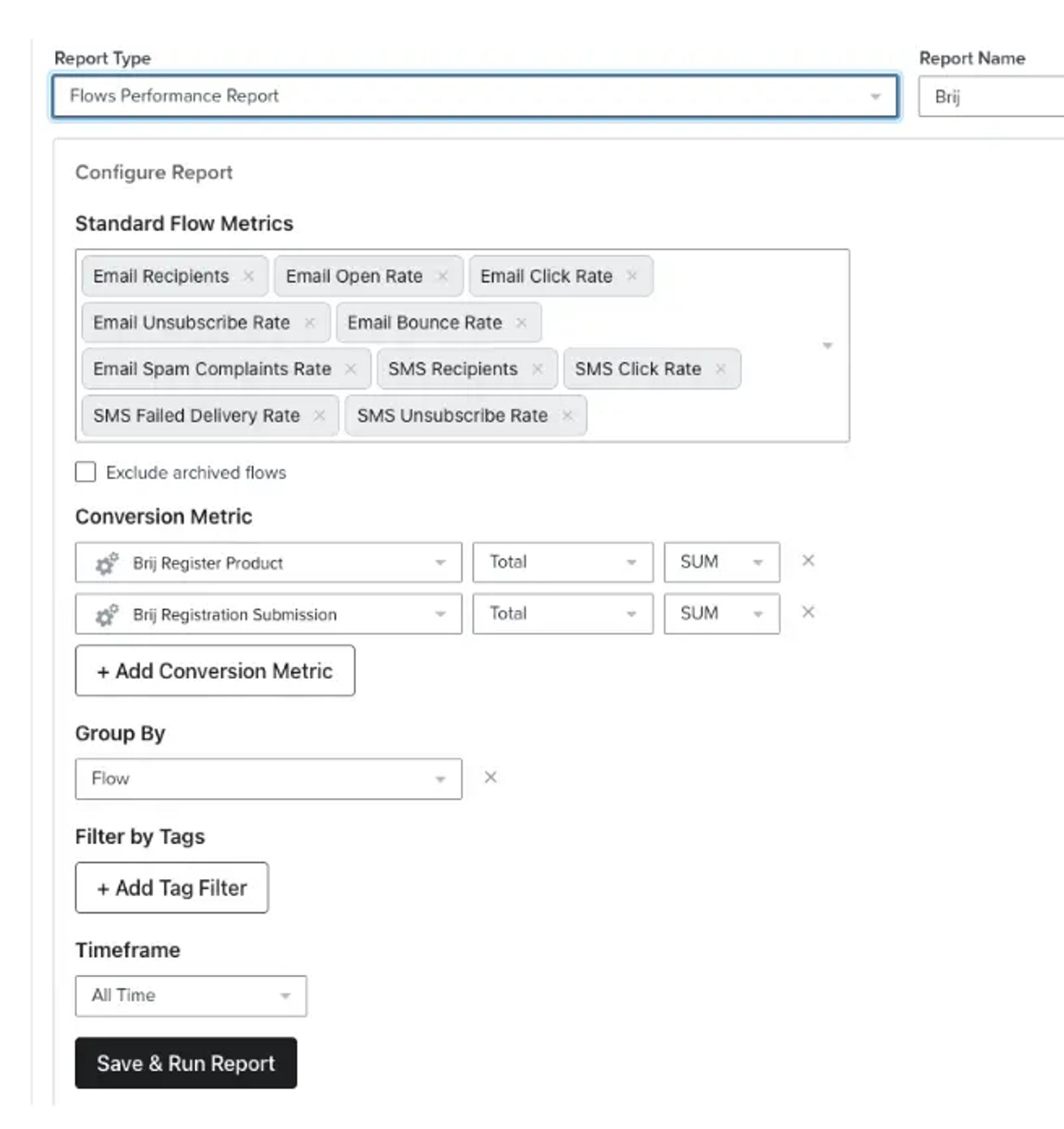
Once you run the report and save it, you can schedule the same one you set up on a weekly cadence as well as export a csv doc to showcase to your team. For additional information, check out how you can customize your analytics experience.
FAQs
How can I track the success of my campaigns?
Brij provides reports on event data such as registrations and revenue generated by customers who give you their email. Klaviyo reports on how many people are in these various flows.
Can I track the performance of my QR code campaigns within Klaviyo?
The integration between Klaviyo and Brij enables you to track and analyze the performance of your QR code campaigns, including metrics such as click-through rates, conversions, and customer engagement.
Can I customize the QR code campaigns created in Brij before integrating them with Klaviyo?
Yes, Brij offers customization options, allowing you to personalize QR code campaigns with images, videos, and GIFs. You can tailor those campaigns to align with your audience.
Can I automate my emails based on QR code interactions using Klaviyo and Brij?
Absolutely. The integration allows for automated email flows triggered by specific QR code interactions, enabling you to send customized emails or SMS messages based on the customer interactions with QR codes.
Are there additional costs associated with integrating Klaviyo and Brij together?
Klaviyo and Brij are separate platforms, and each has its own pricing structure. It’s important to review the pricing details of each platform to understand any potential additional costs associated with utilizing both services together.
Who can benefit from using Brij and Klaviyo together?
Omnichannel businesses looking to enhance their channels of communication. Ecommerce businesses who are looking to grow their email marketing lists and connect with customers who have purchased through third-party channels.
How can Brij and Klaviyo help boost sales?
By sending targeted and personalized messages to customers based on their behavior, such as custom up- and cross-sell emails based on the specific product a customer initially purchased and QR code they scanned.
What if I don’t have technical expertise?
Both Brij and Klaviyo have a user-friendly UI and have support teams as well as external docs that can help you get started.
This blog was co-authored by Charlotte Thorndike, chief of staff at Brij; Brad Zomick, head of marketing at Brij; and Nina Ephremidze, partner solutions architect at Klaviyo.